1
3.3
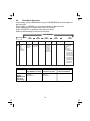
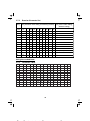
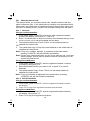
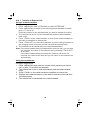
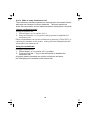
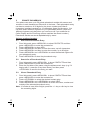
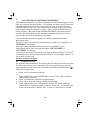
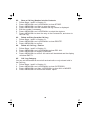
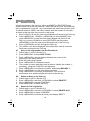
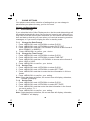
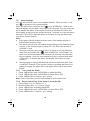
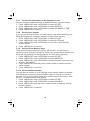
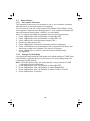
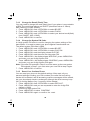
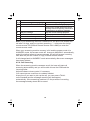
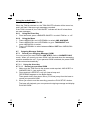
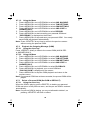
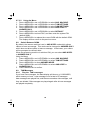
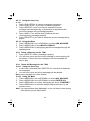
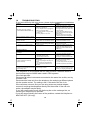
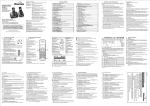
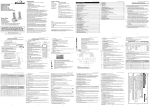
Cordless Handset Menu Structure
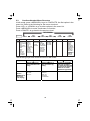
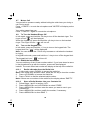
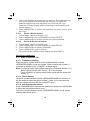
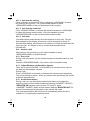
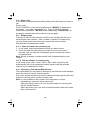
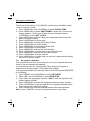
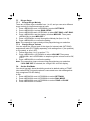
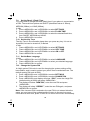
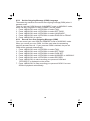
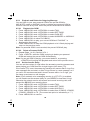
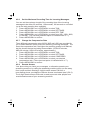
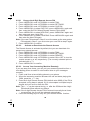
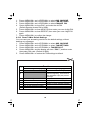
In idle mode, press <MENU/OK> to go to CONTACTS, the first option in the
menu list. Refer to the following for the menu struchure.
Press <UP> or <DOWN> to go to other options in the menu list.
Press <MENU/OK> to enter a sub-menu or function.
Press <C/MUTE> to go back to the previous level.
<UP/DOWN>
Key Press
<MENU>
Main CONTACTS
Menu
Sub Shows
menu EMPTY or the
first Contacts
entry.
Then press
<MENU> for:
ADD
VIEW
EDIT
DELETE
DEL ALL
CAPACITY
FASTDIAL
<UP/
DOWN>
<UP/
DOWN>
<UP/
DOWN>
CALL LOG
BS SET
HS SET
CLOCK
Shows
EMPTY
the first
Call Log
entry.
Then press
<MENU> for:
STORE
DELETE
DEL ALL
DETAILS
CATEGORY
DEL HS
DIALMODE
FLASH
CHG PIN
RINGER
TONE
EQLIZER
SEL BASE
LANGUAGE
HS NAME
DISPLAY
AUTO ANS
MEM KEY
MAILBOX
DATE FMT ON
TIME FMT OFF
SET TIME
SET DATE
<UP/
DOWN>
<UP/
DOWN>
ALARM REGISTER DEFAULT
TAM
PLAYBACK
DEL ALL
MEMO
ON/OFF
SETTINGS
ANS MODE
LANGUAGE
OGM SET
ANS DLAY
REC TIME
COMPRESS
SCREEN
REMOTE
CHG PIN
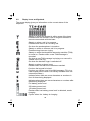
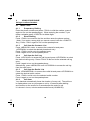
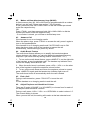
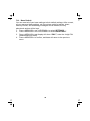
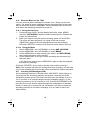
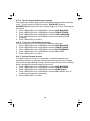
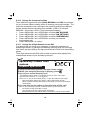
The following keys have direct functions in idle mode:
Redial
Keys
Sub menu
(Press
MENU/OK if
the list is
not empty)
Calls
Shows EMPTY or
the first Redial List
entry.
Shows EMPTY or
the first Call Log
entry.
STORE
DELETE
DEL ALL
STORE
DELETE
DEL ALL
DETAILS
CATEGORY
13
Mute
Shows the available
intercom numbers,
or starts the intercom
ringing to the base if
there are no other
handsets registered.