1
22
Chapter 6. Uploading and Maintaining Custom Packages
The label_of_private_channel is the custom channel created to receive these packages. Be
sure you use the precise channel label specified during its creation. If you have one or more channels
specified (using -c or --channel), the uploaded package headers will be linked to all the channels
identified. If you do not specify a channel, the packages will be deposited in the No Channels section
of the Package Management page. Refer to Section 4.6 Assigning Packages to Software Channels
for instructions on reassigning packages.
The pkg-list reference represents the list of packages to be uploaded. Alternatively, use the -d
option to specify the local directory that contains the packages to be added to the channel. RHN
Package Manager can also read the list of packages from standard input (using --stdin).
Other options, such as the Red Hat Network Server URL, the HTTP proxy username and password
(if your HTTP proxy requires authentication), and the top directory where packages will live, can
be specified in a configuration file. RHN Package Manager will try to read the configuration file
specified using the -f or --conffile options, if present.
Parameters not set in this file will be read from .rhn_package_manager in the home directory of
the user currently logged in and finally from /etc/rhn/rhn_package_manager.conf. Make sure
all of these files have the appropriate permissions to prevent others from reading them.
After uploading the packages, you can check to see if the local directory is in sync with the RHN
Server’s image of the channels:
rhn_package_manager -s -c name_of_private_channel
This -s option will list all the missing packages (packages uploaded to the RHN Server but not present
in the local directory). You must be an Organization Administrator to use this option. The script will
prompt you for your RHN username and password.
You can also use the RHN Package Manager to retrieve a list of packages in a channel (as stored by
the RHN Server):
rhn_package_manager -l -c name_of_private_channel
The -l option will list the package name, version number, release number, architecture, and channel
name for each package in the specified channel(s). Refer to Table 6-1 for additional options.
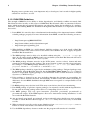
Here is a summary of all the command line options for RHN Package Manager
(rhn_package_manager):
Option
Description
-v, --verbose
Increase verbosity
-d, --dir DIRECTORY_NAME
Process packages from this directory
-f, --conffile
Configuration file. If a configuration file is not given,
~/.rhn_package_manager is used. If
~/.rhn_package_manager is not found,
/etc/rhn/rhn_package_manager.conf is used.
CONFFILE_NAME
-c, --channel CHANNEL_NAME
Specify the channel to receive packages. Multiple
channels may be specified using multiple instances of -c
(e.g.: -c channel_one -c channel_two)
-e, --exclude PACKAGE_NAME
Filter out packages by name.
-n, --count NUMBER
Process this number of headers per call — the default is
32.
-l, --list
List the packages in the specified channel(s).