1
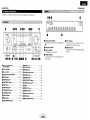
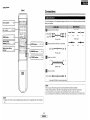
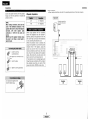
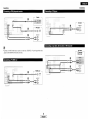
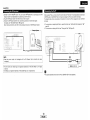
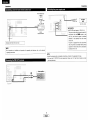
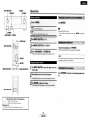
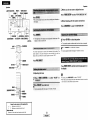
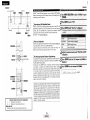
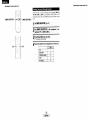
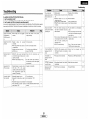
ENGLISH Getting Started [ Rear] Connections Cable indications ---------------------, VD/VDP VCR DBS/CABLE TV Power buttons·············· .. (20) 1---~Q The hookup diagrams on the subsequent pages assume the use of the following optional connection cables (not supplied). __ .92__ Q __ .92j I III Number buttons (0 - 9, +10) ·· .. ····· .. ·····(14,20) I BAND button ·.. ···· .... ····.. ·(14) (White) ~ I~-"""""'-- Audio signal Analog connections (Stereo) (Red) ~ ~r-c:: IN ~~----tMODE Input source selector buttons···························· (12) III button· .. ·.. ······(14, 18) OUT IN Video signal Pin-plug cable Memory block buttons (A - G) ·········· .... ·(14) OUT Analog connections (Monaural, for subwoofer) IN MEMORY button .. ········· ·(14) OUT OUT IN Pin-plug cable Ii TUNING buttons ···· .. ······(14) Speaker connections + + Speaker cable iii = = = = = Video connections (Yellow) ~ ~_.---;~Ia(--~ ~ Video cable (75 Q/ohms video pin-plug cable) NOTE: • Do not plug in the power supply cord until all connections have been completed. • When making connections, also refer to the operating instructions of the other components. • Be sure to connect the left and right channels properly (left with left, right with right). • Do not bundle power cords together with speaker cables. Doing so could result in humming or noise. NOTE: • If buttons on the front or rear are pressed strongly, the button on the opposite side will be activated too. 6 ENGLISH