1
Chapter
6
Extension Joiner Tool
Netscape Certificate Management System (CMS) provides many policy plug-in
modules that enable you to add standard and custom X.509 certificate extensions
to end-entity certificates the server issues. Similarly, the wizard that helps you
generate the certificates required by the Certificate Manager, Registration
Manager, Data Recovery Manager, and Online Certificate Status Manager enables
you to select extensions that you want to include in the certificates. Additionally,
the wizard interface and the request-approval page of the Agent interface contains
a text area, enabling you to paste any extension in its MIME-64 encoded format.
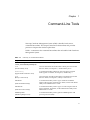
Certificate Management System also provides tools that generate MIME-64
encoded blobs for many standard extensions. You can use these tools for
generating MIME-64 encoded blobs for any extensions that you may want to
include in CA and other certificate requests. The tools are located with the rest of
the command-line utilities in this directory: <server_root>/bin/cert/tools
The text field provided for pasting the extension in general accepts a single
extension blob. If you want to add multiple extensions, you should first join them
to form a single extension blob and then paste the blob into the text field.
The ExtJoiner is a program that joins a sequence of extensions together so that the
final output can be used in the wizard text field or in the request-approval page of
the Agent interface for specifying multiple extensions.
This chapter has the following sections:
•
“Location,” on page 58
•
“Syntax,” on page 58
•
“Usage,” on page 58
57