1
Wi-Fi Networking
See these sections to use your scanner over a Wi-Fi network.
Connection Mode Switch
Manual Network Connection Setup
Connecting to an Existing Wi-Fi Network
Direct Wi-Fi Mode Setup
Wi-Fi Protected Setup (WPS)
Epson DocumentScan App for iOS/Android
Using the Network Interface Unit
Connection Mode Switch
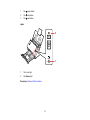
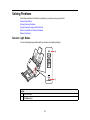
The position of the connection mode switch determines which method you can use to connect the
scanner to a wireless network or device, or to a computer.
Connection mode
Description
Wi-Fi
Connects to a Wi-Fi router or access point (requires additional network
setup steps, see link at end of topic)
AP mode
Creates a local Wi-Fi network that allows other devices to connect directly
to the scanner
USB
Connects to a computer via a USB cable
Parent topic: Wi-Fi Networking
Manual Network Connection Setup
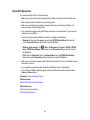
If the software installation process did not result in a Wi-Fi connection between your scanner and a
router or access point, do the following to manually connect to a network:
1. Connect your scanner to your computer using a direct Wi-Fi connection.
2. Enter the network settings for your router or access point using EpsonNet Config.
33