1
DIR-320NRU Multifunction Wireless Router
WiMAX, 3G GSM/CDMA with Built-in Switch
Supporting
Configuring via Web-based Interface
User Manual
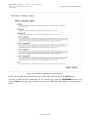
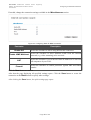
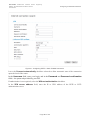
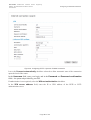
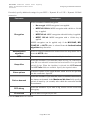
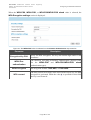
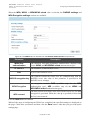
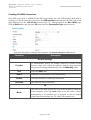
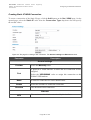
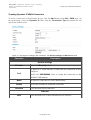
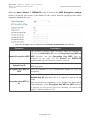
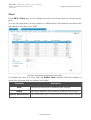
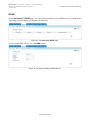
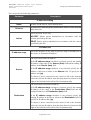
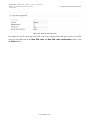
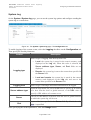
When the Open, Shared, or WEPAUTO value is selected, the WEP Encryption settings
section is displayed (the section is unavailable for the wireless network operating modes which
support the standard 802.11n):
Figure 84. The Open value is selected from the Network Authentication drop-down list.
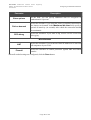
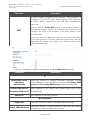
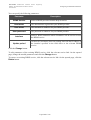
Parameter
Description
The checkbox activating WEP encryption. When the checkbox is
selected, the Default Key ID field, the Encryption Key WEP as
Enable Encryption WEP HEX checkbox, and four Encryption Key WEP fields are
displayed on the page. For the Shared and WEPAUTO
authentication types the checkbox is always selected.
Default Key ID
The number of the key (from first to fourth) which will be used for
WEP encryption.
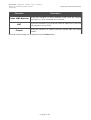
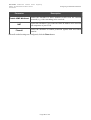
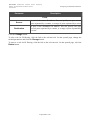
Encryption Key WEP as Select the checkbox to set a hexadecimal number as a key for
encryption.
HEX
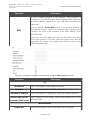
Keys for WEP encryption. The router uses the key selected from the
Default Key ID drop-down list. It is required to specify all the
fields.
Encryption Key WEP (1You can specify keys containing 5 or 13 symbols (use digits and/or
4)
Latin characters). If the Encryption Key WEP as HEX checkbox
is selected, you can specify only keys containing 10 symbols (the
digits 0-9 and the characters A-F).
Page 102 of 156