1
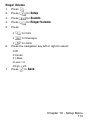
10. Press the navigation key to the left or right to highlight
and listen to the desired Ringer and press
.
11. Press
to Save.
12. Press
to Confirm
Secret PhoneBook Entries
Phonebook entries can be saved as Secret. Once
secret, the entry will display the name, but the phone
number is not displayed. Instead of the phone number,
the word “Secret” is displayed on the screen. A lock
code is required to edit the entry. To make an entry
secret:
1.
Press
.
2.
Press
for PhoneBook.
3.
Press
for Find.
4.
Select the desired entry and press
5.
Press
6.
Press the navigation key down until Secret is selected.
7.
Press the navigation key left or right until On is displayed
in the Secret field and press
to Save.
8.
Press
.
to edit the entry.
again to Confirm.
Chapter 5 - PhoneBook
64