1
Advanced Design System 2011.01 - ADS Ptolemy Simulation
Using Nominal Optimization
This topic describes using nominal optimization with ADS Ptolemy. Nominal optimization,
also called performance optimization, uses iterative simulation to achieve user-specified
goals by automatically varying specific simulation design parameter values over userspecified ranges. For example, you could optimize the gain of a carrier recovery loop to
achieve a desired lock time and residual loop error or you could optimize a fixed-point bitwidth parameter in a DSP design. This capability generally works the same way as in
Analog/RF Network simulators. Details regarding nominal optimization are provided in
Nominal Optimization (optstat).
This topic discusses a DSP example on optimizing bit-width and describe information on
signal processing parameter types to be aware of when performing optimization with ADS
Ptolemy.
Optimizing Various Parameter Types
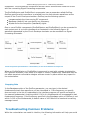
To optimize a real, integer, or fixed-point parameter type, the procedure is similar to
standard nominal optimization.
To optimize complex, precision, array, string, or filename parameter types, you must use
a VAR component to define the optimizable variable. You then embed a variable from the
VAR in the string of the component parameter value. This is because the simulator only
sweeps numbers and these parameter types are strings that are interpreted by the
simulator.
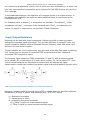
To reference an optimized variable for parameter types that use strings, the variable is
defined in a VAR (Variables and equations) component with Standard entry mode and
Optimization/Statistic Setup enabled. Once defined, this variable can be used as a
component parameter. If you type this variable on the schematic, it must be enclosed in
quotes " "; if you enter this variable in the component dialog box, quotes are
automatically added.
An example of optimizing a filename is the case of ten files, myfile1.dat through
myfile10.dat, each containing filter coefficients. You might want to conduct an
optimization based on a range of these files.
Note
Earlier versions of Advanced Design System (1.0 and 1.1) required the use of sprintf and strcat functions
to reference strings. While no longer needed for complex, precision, or array types, designs built with
these functions will still work.
Optimizing Input and Output Bit Width
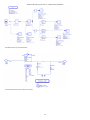
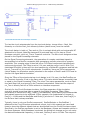
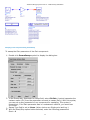
This example shows how to set up a simple fixed-point bit-width parameter optimization.
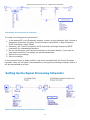
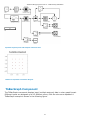
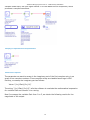
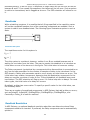
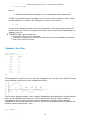
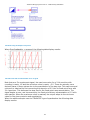
We will build a simple design as shown in the following figure. To help you set up this
design, copy the workspace dspopt_wrk from the examples/Tutorial directory, and modify
the design simpleopt2 as described in this section.
135