1
03 FAX_Chp3.qxd
03.7.10 3:58 PM
Page 3-12
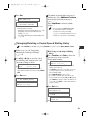
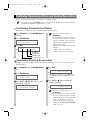
Registering a Password and Subaddress
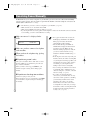
The password and subaddress is required when you send faxes to the other party’s fax machine that has a
password and subaddress.
NOTE
• You can register the password and subaddress with a one-touch speed dialing key or coded speed
dialing code.
• You must also know the password and subaddress of the other party’s fax so that you can enter them on
your fax. If you do not know the password and subaddress, contact the other party.
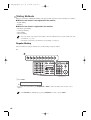
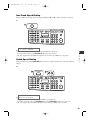
• The Function key will light up by pressing Function to be able to operate Space, Delete or Clear.
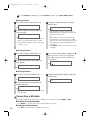
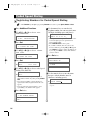
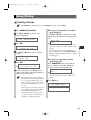
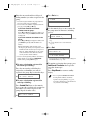
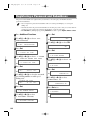
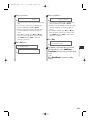
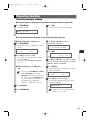
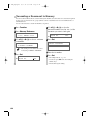
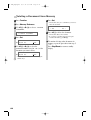
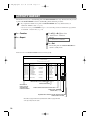
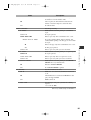
1 Press Additional Functions.
2 Use 4 (–) or e (+) to select 4.ADD.
REGISTRATION.
ADDITIONAL FUNCTIONS
4.ADD. REGISTRATION
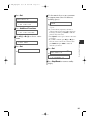
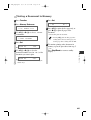
9 Press Set.
OPTIONAL SETTING
OFF
Ex:
10 Use 4 (–) or e (+) to select ON.
OPTIONAL SETTING
ON
3 Press Set.
ADD. REGISTRATION
1.1-TOUCH SPD DIAL
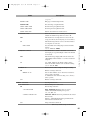
4 Use 4 (–) or e (+) to select 1.1-TOUCH
SPD DIAL or 2.CODED SPD DIAL.
ADD. REGISTRATION
Ex: 1.1-TOUCH SPD DIAL
5 Press Set.
Ex:
1-TOUCH SPD DIAL
01=
905795 1111
6 Use 4 (–) or e (+) to select the one-touch
speed dialing number or coded speed
dialing code.
1-TOUCH SPD DIAL
81 773 3115
Ex: 02=
7 Press Set.
1-TOUCH SPD DIAL
1.TEL NUMBER ENTRY
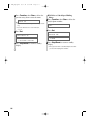
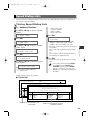
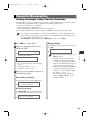
11 Press Set.
OPTIONAL SETTING
1.TX TIME SETTNG
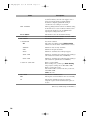
12 Use 4 (–) or e (+) to select 2.TX
TYPE.
OPTIONAL SETTING
2.TX TYPE
13 Press Set.
TX TYPE
14 Use 4 (–) or e (+) to select
SUBADDRESS TX.
TX TYPE
SUBADDRESS TX
15 Press Set twice.
SUBADDRESS TX
1.PASSWORD
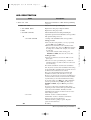
8 Use 4 (–) or e (+) to select
3.OPTIONAL SETTING.
1-TOUCH SPD DIAL
3.OPTIONAL SETTING
3-12
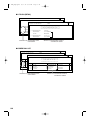
REGULAR TX
Ex:
PASSWORD
Ex: