1
OPERATING
set can join in.
n When someone at the handset has al-
mode.
lntercom from Base Unit to Handset
ready joined the conversation, pressing
Press INT.COM on the Base Unit.
PRV on the Speakerphone will turn off the
If the Handset is in the OFF mode, it will
handset.
INSTRUCT.IONS
calling cards, or other special services.
IF YOUR PHONE RINGS DURING AN
INTERCOM CONVERSATION
First, dial the call normally. Then activate
the Temporary Tone feature by pressing
key. You can then press the numbers
If you receive a call while using the Inter-
ring a maximum of 4 times. The Handset
user can respond to the INTERCOM ring by
pressing INT.COM. The Handset user can
also choose to ignore the INTERCOM ring, in
which case, the ringing will stop after 4 rings.
Otherwise, the Handset user can press OFF,
which will terminate the ringing.
Press INT.COM to terminate INTERCOM
mode.
PHONE^
"INGTHE
THE INTERCOM
INTERCOM DURING A PHONE
USING
>,
CALL
CALL
To end the call, press OFF (on the Handset), or place the Handset back in the Base
Unit cradle. From Base Unit ~ r e s SPKR
s
to
end a call. The phone will automatically go
Press HOLD to put the call on hold, then
use the lntercom normally.
To end the lntercom conversation, press
NOTE: If the Handset is ON when INT.COM
is pressed on the Base Unit, the Handset will
emit only one ringer tone, and then return to
the original call.
OFF (on the Handset) or INT.COM (on the
Base Unit).
To return to the call, press PHONE (on the
Handset) or SPKR (on the Base Unit).
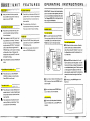
USING THE INTERCOM / HANDSET LOCATOR
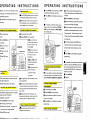
You can use your 917ADXcordless telephone as a two-way lntercom between the
Base Unit and the Handset. This doesn't tie
up your telephone line. You can still receive
calls when using the Intercom.
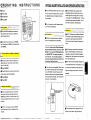
Handset Locator
Occasionally you may misplace your 917
ADX Handset. Use the lntercom feature on
the Base Unit to help locate the missing
Handset. When the INT.COM key is pressed,
the Handset will ring four times.
I
back to rotary (dial-pulse) service.
8
,
I
The Temporary Tone feature is for use with
PULSE dialing service only.
w ~ h lntercom
e
can be activated by either the
Handset or the Base Unit.
PROGRAMMING THE RINGER TYPE
lntercom from Handset t o Base Unit
Press INT.COM. on the Handset
The Base Unit will emit two beeps, and will
then automatically enter lntercom mode.
The party at the Base Unit does not need
to press a key to activate this feature when it
is initiated from the Handset.
Press OFF to terminate INTERCOM
TEMPORARY TONE FEATURE
. ,. .
-
If you have rotary (dial-pulse) telephone
service, (TONEIPULSE switch is set to
PULSE), Temporary Tone allows you to enter
special codes and tones to access answering
machines, electronic banking services,
The 917ADXcordless phone has four different ringing tones available for the Handset.
To program the Handset ringer tone:
Handset must be OFF
Press PRGIPRV key on Handset
1Press # or * key on the ~
~
~
d
~