1
81245_4.book Page i Monday, April 30, 2007 6:03 PM
Contents
1 - Getting Started
System Components ............................................................. 2
Changing the Controller batteries ........................................ 2
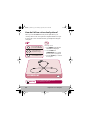
The S100 Autopilot Controller .............................................. 3
How do I power the system on? ........................................... 4
Operation modes .................................................................. 4
Using fishing patterns ........................................................... 4
Power saving mode .............................................................. 4
GPS filtering .......................................................................... 5
Wireless signal strength ....................................................... 5
Keylock................................................................................. 5
Performance check ............................................................... 5
2 - Using your S1000
How do I use the autopilot? .................................................. 8
How do I automatically steer straight? ................................. 9
How do I follow a route from my GPS? ............................... 10
How do I follow a circle pattern? ........................................ 11
How do I follow a zig-zag pattern? ..................................... 12
How do I follow a cloverleaf pattern?................................. 13
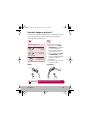
How do I dodge an obstacle? .............................................. 14
3 - Setting up your S1000
How do I change the pattern direction? .............................. 16
How do I change my boat type? ......................................... 17
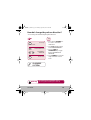
How do I adjust the autopilot settings? .............................. 18
What is Rudder Gain? ......................................................... 19
What is Counter Rudder? .................................................... 20
What is Response? ............................................................. 21
What is Auto Trim? ............................................................. 21
4 - Alarms and Troubleshooting
S1000 Alarm messages ...................................................... 24
Fault finding ....................................................................... 26
Safety alarm ....................................................................... 27
Frequently-asked questions................................................ 27
User Guide
i