1
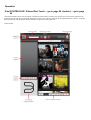
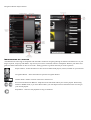
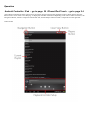
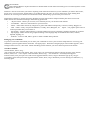
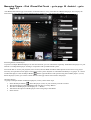
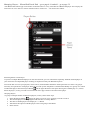
Navigation Drawer Players Drawer
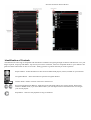
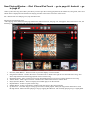
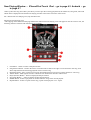
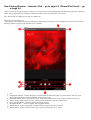
Identification of Controls
The Bluesound Control App is compatible with the iPad’s method of navigating through its features and functions. Use your
fingers to pinch, swipe, tap and double - tap an item you want to command, control or manipulate. Refer to your iPad’s user
guide for further information on how to use multi - tasking gestures to go about the task you want to perform.
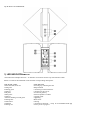
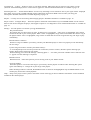
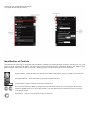
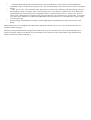
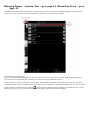
Players Button – Select this button to show all active Bluesound players (rooms) available on your network.
Navigation Button – Select this button to open the Navigation Drawer
Volume Slider - Slide to increase or decrease volume level.
Previous track/Next track Buttons - Skip forward or backwards within your current playlist. When using
TuneIn or WiMP mode, if you select these buttons you will skip forward or backwards to the next song in
your current playlist.
Play Button – Select to start playback of song or broadcast.