1
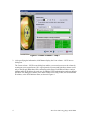
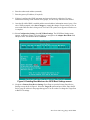
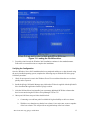
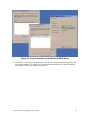
Figure 13: Loading the QLA40xx driver
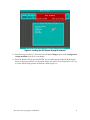
5. From this point forward, the Windows 2003 installation continues in the standard manner.
Follow the on-screen directions to complete the installation.
Verifying the Configuration
Once the Windows Server 2003 installation has been completed and the server has rebooted using
the newly installed operating system, complete the following steps to finish the PS Series group
SAN boot procedure.
1. Check for unexpected events in the Windows Event Viewer and check that the server reboots
quickly and as expected.
2. Install the QLogic SANsurfer Manager provided on the CD that is supplied with the QLA405x
kit or download the application from the QLogic website.
3. After the SANsurfer has been installed you can manage additional iSCSI data volumes that
have been created using the PS Series Group Manager GUI or CLI.
4. Other post-SAN boot setup activities should include:
a. Connecting a second boot path if available for high availability to the boot volume.
b. With the server shutdown so that the boot volume is in a static state, create a snapshot
of the boot volume. This will provide an original backup of the boot volume.
Boot From SAN using QLogic iSCSI HBAs
13