1
AA68-03671A-00Eng_Latin
6/15/05
5:31 PM
Page 3
CONTENTS
Chapter 1: Your New TV ................................5
List of Features ..........................................................................................5
Accessories ................................................................................................5
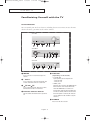
Familiarizing Yourself with the TV.............................................................6
Control Buttons ..............................................................................6
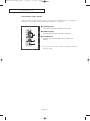
Connection Jacks (Side)..................................................................7
Connection Jacks (Rear) .................................................................8
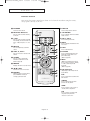
Remote Control ..............................................................................9
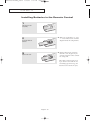
Installing Batteries in the Remote Control.....................................10
Chapter 2: Installation................................. 11
Connecting VHF and UHF Antennas.......................................................11
Antennas with 300-ohm Flat Twin Leads......................................11
Antennas with 75-ohm Round Leads............................................12
Separate VHF and UHF Antennas.................................................12
Connecting Cable TV ..............................................................................13
Cable without a Cable Box ...........................................................13
Connecting to a Cable Box that Descrambles All Channels ...........13
Connecting to a Cable Box that Descrambles Some Channels .......14
Connecting a VCR ...................................................................................15
Connecting a Second VCR to Record from the TV ........................15
Connecting a DVD Player ........................................................................16
Connecting to Y, PB, PR .................................................................16
Connecting to Regular Audio and Video Jacks..............................16
Connecting a Camcorder .........................................................................17
Connecting to an Analog Amplifier..........................................................17
Chapter 3: Operation....................................18
Turning the TV On and Off .....................................................................18
Plug & Play Feature.................................................................................18
Viewing the Menus and On-Screen Displays............................................20
Viewing the Menus .......................................................................20
Viewing the Display......................................................................20
Selecting a Menu Language......................................................................21
Memorizing the Channels........................................................................22
Selecting the Video Signal Source .................................................22
Storing Channels in Memory (Automatic Method) .......................23
Adding and Erasing Channels..................................................................24
Changing Channels .................................................................................25
Using the Channel Buttons ...........................................................25
Using the Number Buttons ...........................................................25
Using the PRE-CH Button to Select the Previous Channel ............25
Labelling the Channels ............................................................................26
Picture Control ........................................................................................27
Using Automatic Picture Settings..................................................27
Customizing the Picture ...............................................................28
Resetting the Picture Settings to the Factory Defaults....................29
continued...
English - 3