1
33
Troubleshooting
Problem
Text is not displaying in selected
emulation.
iPod does not charge.
Solution
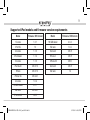
Identify your audio system first and set switches accordingly on MediaBridge
module. Use the DISP button on radio/display to toggle text fields. CD
emulation has no text display.
Check all connections. See if iPod charges while connected to computer or
wall charger. You may need to reset the iPod.
Music is distorted or sound level is too
low with iPod connected.
Make sure all EQ and BASS boost options are turned off on your iPod.
Why is the interface not controlling the
iPod/USB drive?
Please make sure that the USB connection is not loose. Make sure that
an iPod case is not preventing the dock connector from being fully seated.
Disconnect and reconnect the device. If iPod is not responding please try
resetting it. USB device must also be FAT16/32 format and contain supported
MP3, WMA or AAC content.
What size of USB flash drive should I
use?
Large capacities are supported, however up to 4GB is recommended for
optimal user experience.
Sirius tuner can’t be selected.
Unit must be in SAT emulation. Check for proper connection to the mini DIN
8 receptacle.
OMA-MBR-1500-NIS-012012_rev012012.indd 33
1/21/2012 4:45:07 PM