1
Chapter 2
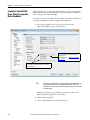
Configure Integrated Motion Using a PowerFlex 755 Drive
About the PowerFlex 755
Drives
Integrated Motion on the EtherNet/IP network supports closed loop servo
drives and frequency drives. The PowerFlex 755 drive contains an EtherNet/IP
adapter that is embedded on the main control board. The PowerFlex 755 drives
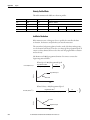
supports Position Loop, Velocity Loop, Torque Loop, and Frequency Control
axis configuration types.
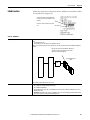
The PowerFlex 755 drive has five option ports capable of accepting a
combination of options for control, communication, I/O, feedback, safety, and
auxiliary control power.
This embedded adapter lets you easily configure, control, and collect drive data
over Ethernet networks. The drive can operate also in the integrated motion
mode or the existing I/O mode.
When a PowerFlex 755 is used in Integrated Motion on EtherNet/IP mode, the
Logix controller and Logix Designer are the exclusive owners of the drive (same
as Kinetix). An HIM or other drive software tools, such as DriveExplorer and
DriveTools SP, cannot be used to control the drive or change configuration
settings. These tools can only be used for monitoring.
See these publications for more information:
• PowerFlex 750-Series AC Drives Programming Manual,
publication 750-PM001
• PowerFlex 755 Drive Embedded EtherNet/IP Adapter User Manual,
publication 750COM-UM001
• PowerFlex 755 Drive Embedded EtherNet/IP Adapter Installation
Instructions, publication 750COM-IN001
• Integrated Motion on the EtherNet/IP network Reference Manual,
publication MOTION-RM003, for information about what attributes are
replicated in the drive
48
Rockwell Automation Publication MOTION-UM003F-EN-P - March 2015