1
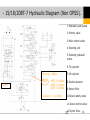
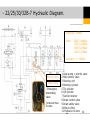
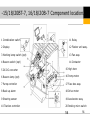
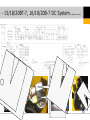
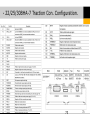
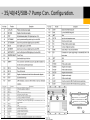
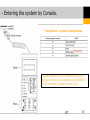
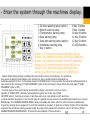
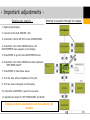
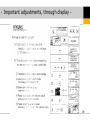
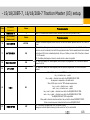
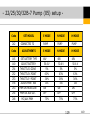
- Enter the system through the machines display.
1
2
3
4
5
6
7
-
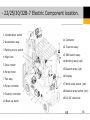
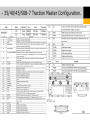
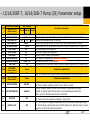
Oil level warning lamp (option)
Wrench warning lamp
Thermometer warning lamp
Seat warning lamp
Seat belt warning lamp (option)
Handbrake warning lamp
Key 1 button
Button
Button
Button
Button
Button
Button
1
2
3
4
5
6
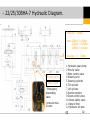
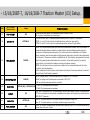
8 Key 2 button
9 Key 3 button
10 Key 4 button
11 Key 5 button
12 Key 6 button
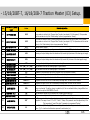
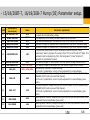
13 LCD function
(7) Performs function of the ROLL UP key
(8) Performs function of the ROLL DOWN key
(9) Performs function of the SET DOWN key
(10) Performs function of the SET UP key
(11) Performs function of the OUT key
(12)Performs function of the ENTER key
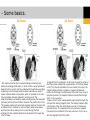
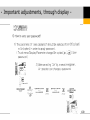
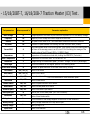
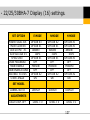
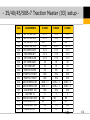
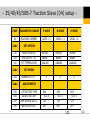
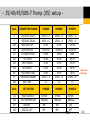
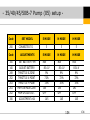
- Graphic Smart Display present a software structure made by menus and submenus. It is possible to
have access to Graphic Smart Display menu structure by the six operator buttons integrated in a
membrane keyboard. At turn on the display shows the HYUNDAI logo for some seconds, then asks the starting password, to
have access to the main page (if "USER PASSWORD" option is ON), otherwise it shows directly the main page (if "USER
PASSWORD" option is OFF).
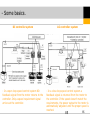
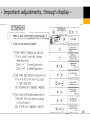
- The main page, if there aren't alarms, shows battery charge, truck speed (in km/h or mph, it
depends on "SPEED UNIT" parameter) and key/traction/pump hour meter (see "HOUR
COUNTER" option); if alarms are present, it will show alarm code, node initials in which alarm has
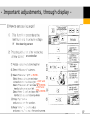
occurred and alarm description. From the main page it is possible to have access to the ALARM page (if alarms occur) and to
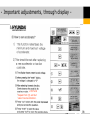
MENUS page. The CHANGE PASSWORD MENU is always accessible and visible, while the others ones are accessible and
showed, by entering service password. To enter this password its necessary to push the out button (button #5) of membrane
keyboard; this will show a entering password page. By using service password it's possible to enter in all menus (TRUCK,
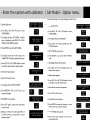
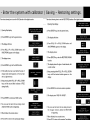
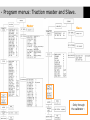
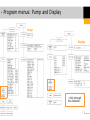
CHANGE PASSWORD,MAINTENANCE). It follows flow chart diagram of menu structure.
91
91