1
RS-232 AND 10/100T PROTOCOL
Using an External Controller
Where:
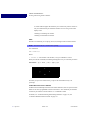
• <window #> is the number of the output channel connected to the window you want
to control.
• <action> represents the type of pan or zoom.
Remember: zooming in or out of a window using the ZOOM command will adjust the
window’s size.
........ ...............
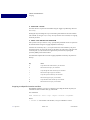
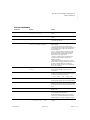
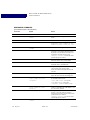
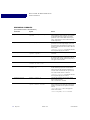
Action
Description
ZI
Zoom in (sizes window up)
ZO
Zoom out (sizes window
down)
PL
Pan left
PR
Pan right
PU
Pan up
PD
Pan down
STOP
Stop action
• <speed> is a value from 1 - 10 and sets the speed of the action.
Continuous Window Posi tion & Zoom
This type of window position and zoom command is meant for use with a programmable
external control device.The continuous window position and zoom controls let you continue
an action until the STOP command is issued.
The command is:
WINPOS <window #> <zi | zo | ml | mr | mu | md | stop> <speed>
Where:
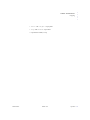
• zi = zoom in
• zo = zoom out
• ml = move window left
• mr = move window right
• mu = move window up
• md = move window down
• <speed> is a value from 1 - 10 and sets the speed of the action.
116
Reference
Edition 1.08
CXPS Manual