1
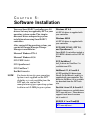
Software Installation
5-25
Red Hat Linux 5.2 and 6.0
These instructions are for installation of the DPT device driver for Linux
on a system using Red Hat Linux 5.2 or 6.0.
1.
Install and configure your DPT controller according to the
instructions in Chapter 3, “Configuration and Installation”.
2.
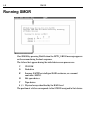
If you want to install Linux on a disk array, use SMOR to configure
any disk arrays before beginning the operating system installation.
NOTE
Any partitions created on disks that are not part of an array
will be unavailable if you subsequently use the disk in a RAID
configuration.
3.
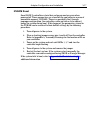
Boot the system from the DPT Red Hat Linux boot diskette and
continue with the Linux installation according to the instructions in
the REDHAT.TXT file.
Red Hat Linux 6.1
These instructions are for installation of the DPT device driver for Linux
on a system using Red Hat Linux 6.1.
1.
Install and configure your DPT controller according to the
instructions in Chapter 3, “Configuration and Installation”.
2.
If you want to install Linux on a disk array, use SMOR to configure
any disk arrays before beginning the operating system installation.
NOTE
Any partitions created on disks that are not part of an array
will be unavailable if you subsequently use the disk in a RAID
configuration.
If your hard drives do not have partition tables or do not
contain a recognizable partition), you will be prompted to
initialize these disks. The operating system can automatically
remove the data or you can manually partition the drives. For
more information, refer to the Red Hat documentation.
3.
Boot the system with the Red Hat Linux 6.1 boot diskette in the
floppy drive and CD Disk 1 in your CD-ROM drive.
4.
When the Red Hat 6.1 Welcome screen appears, type:
expert
at the boot: prompt.