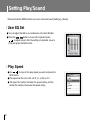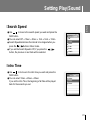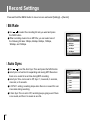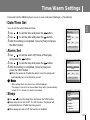
1
Charging the battery
The charger is supplied with your player.
ENG
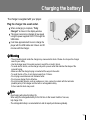
Plug the charger into a wall outlet.
▲ When recharging is complete, “Fully
Charged” is shown in the display window.
▲ The player can also be charged at low speed
using the power supplied from PC through the
USB cable.
▲ It will take approximate 8 hours to charge the
player with the USB cable and 2 hours and 30
minutes with the charger.
✍ Warning
- The uninsulated parts inside the charger may cause electric shock. Please do not open the charger
case for your safety.
- Use the charger away from water sources to avoid fire or electric shock.
- To avoid electric shock, use the charger only with a power outlet that matches the shape of the
converter's plug.
- Make sure that the charger's plug is inserted all the way into the outlet.
- To avoid the risk of fire, do not charge longer than 12 hours.
- Do not plug several devices into the same outlet.
- Do not use a charger that is defective.
- Do not let metallic objects, such as necklaces or coins, come into contact with the terminals
(metallic parts) of the charger and the built-in rechargeable battery.
A fire or electric shock may result.
ote
✍N- NOvercharging
will reduce the battery life.
- When using the rechargeable battery for the first time or after several months of non-use,
fully charge it first.
- The rechargeable battery is a consumable item and its capacity will decrease gradually.
11