1
A.2.2
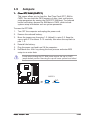
Using the EIST
To use the EIST feature:
1.
2.
3.
Turn on the computer, then enter the BIOS Setup.
Go to the Advanced Menu
Menu, highlight CPU Configuration
Configuration,
then press <Enter>.
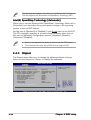
Set the Intel(R) SpeedStep Technology item to [Automatic],
then press <Enter>. See page 2-22 for details.
4.
Press <F10> to save your changes and exit the BIOS setup.
5.
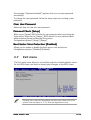
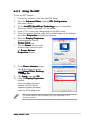
After the computer restarts, right click on a blank space on the desktop,
then select Properties from the pop-up menu.
When the Display Properties
window appears, click the
Screen Saver tab.
Click the Power button on the
Monitor power section to open
the Power Options
Properties window.
6.
7.
8.
9.
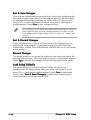
On the Power schemes section,
click , then select any option
except Home/Office Desktop
or Always On
On.
Click A p p l y
y, then click O K
K.
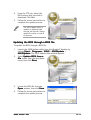
10. Close the Display Properties
window.
After you adjust the power
scheme, the CPU internal
frequency slightly decreases
when the CPU loading is low.
The screen displays and procedures may vary depending on the
operating system.
ASUS P5GD1-VM