1
OPTIONAL EQUIPMENT CONNECTIONS
Optional Equipment Connections
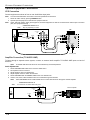
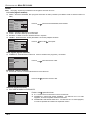
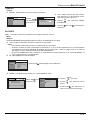
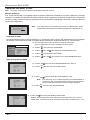
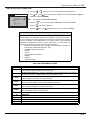
VCR Connection
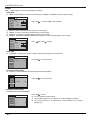
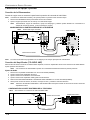
Connect equipment as shown to front or rear Audio/Video input jacks.
Note:
1.
2.
Note:
Front and rear Audio/Video connections cannot be operated at the same time.
Select the Video mode by pressing TV/VIDEO button.
Operate optional equipment as instructed in equipment manual.
VCRs, video disc players, video game equipment, and DSS equipment can also be connected to the antenna input connection.
(See your equipment manual).
CONNECTIONS ON BACK OF TV
Note:
ANT
May vary depending on model.
AUDIO
R
L
TO AUDIO
AMP
Use either the
S-Video or Video
connection.
VIDEO
VIDEO OUT
2
S-VIDEO
VCR
S-VIDEO
OUT
INPUT
1
L
AUDIO OUT
R
CABLES NOT SUPPLIED
OUTPUT
ANT INPUT
Incoming Cable
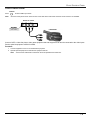
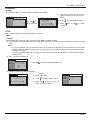
Amplifier Connection (TO AUDIO AMP)
To listen through a separate stereo system, connect an external audio amplifier TO AUDIO AMP inputs on back of
television.
Note:
TO AUDIO AMP terminals cannot be connected directly to external speakers.
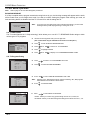
Audio Adjustments
1.
2.
3.
4.
5.
6.
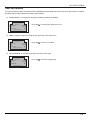
Select SPEAKERS ON located in the onscreen AUDIO menu.
Set amplifier volume to minimum.
Adjust television volume to desired level.
Adjust amplifier volume to match the television.
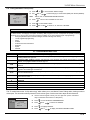
Select SPEAKERS OFF & VARIABLE AUDIO OUT from AUDIO menu.
Volume, mute, bass, treble and balance are now controlled through the television.
Note:
Select SPEAKERS OFF & FIXED AUDIO OUT to control audio functions through the external amplifier.
CONNECTIONS ON BACK OF TV
Note:
For models with TO AUDIO AMP audio jacks.
AUDIO
R
L
TO AUDIO
AMP
ANT
2
S-VIDEO
INPUT
1
6l
VIDEO
External Amplifier