1
Matrix 12800 Operation, cont’d
5.
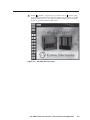
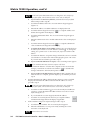
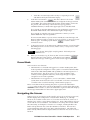
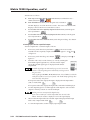
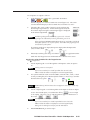
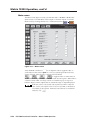
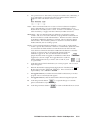
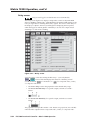
To add the potential tie that you have just created to a queue of tie
commands that take affect all at once, touch the green Queue button.
The FPC displays the equivalent SIS commands in the Pending Tie
commands field.
The example above shows a queue of SIS commands for tieing input 11 to
output 11, input 2 to output 2, input 3 to output 4, and input 4 to output 3.
For more information about SIS commands, refer to the Matrix 12800
Wideband, Sync, or Audio Switchers User’s Manual, part #68-556-01.
6.
To add another potential tie to the queue, repeat steps 1 through 3.
Only one input can be tied to given output. If a queue of tie commands
attempts to assign multiple inputs to an output, the Matrix 12800 makes each
of the ties in turn and the last switch in the queue is the tie that remains at the
end of the sequence.
7.
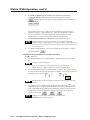
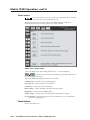
To switch an immediate tie or to switch all of the ties in the queue, touch the
green Take button.
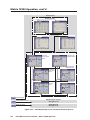
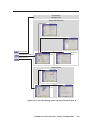
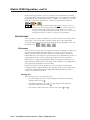
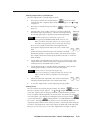
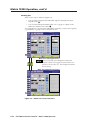
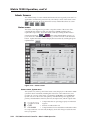
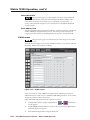
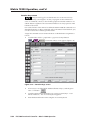
Creating ties using the Make Ties: alternate view screen
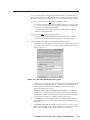
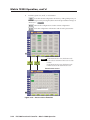
See 6 on figure 3-8.
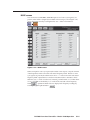
1.
Use the input keypad or scroll through the valid inputs to select an input to
tie.
Leading zeroes are not required.
If you enter a number for a virtual input that does not exist in the
Matrix 12800, the number is displayed in red in the keypad display.
2.
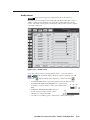
For systems with both audio and video BMEs, select the video, audio, or both
to tie by touching the yellow Breakaway/Follow button, as necessary, to turn the
desired selection(s) green.
The Breakaway/Follow button does not appear in video-only or audio-only
systems.
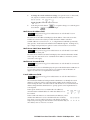
3.
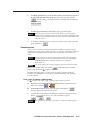
in the
Use a pencil eraser or other small, soft, object to touch the boxes
output grid. The existing input number displayed in the touched boxes turn
red to indicated that a potential tie or potential set of ties have been selected
to replace the current configuration. The Queue, Cancel, and Take buttons
appear on the screen.
Changes do not take affect until you press the Take button.
4.
3-16
For an immediate tie, proceed to step 7.
FPC 5000 Front Panel Controller • Matrix 12800 Operation