1
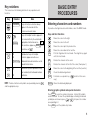
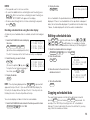
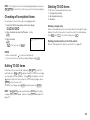
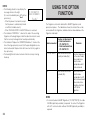
NOTE: The memo being displayed when 2nd INDEX is pressed will
appear at the top of the list. Otherwise, the first memo will be
displayed at the top.
Deleting entire memos
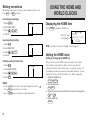
Editing memos
Refer to “Deleting all of the data in each function” on page 30.
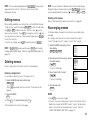
Memo editing capabilities are similar to those in the SCHEDULE mode.
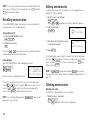
To edit a memo, recall it, then press 2nd EDIT to enter the edit mode.
Use DEL or BS to delete characters. With the cursor “■” you may
type over the characters. Press INS to change the cursor to “ ” and
you may insert new characters. After making changes, press ENTER
to store the new entry.
To cancel any changes, press C•CE twice before pressing ENTER .
NOTE: If
2nd
NOTE: You can also delete individual entries from the index display.
Display the index of the desired memo with 2nd INDEX , select the
memo to be deleted with the pointer “ ”, and press DEL and Y .
ENTER are pressed instead of ENTER after making
changes, data can be copied. (Refer to “Copying scheduled data” on
page 13.)
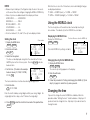
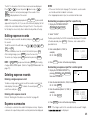
Rearranging memos
In the index display the order in which memos are recalled can be
changed.
For example, when there are five memos stored in the order of
“memo1” through “memo5”, to place “memo2” after “memo4”:
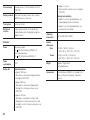
1. Select the MEMO mode and go to the
index display.
MEMO
2nd
INDEX
2. Move the pointer to the entry you want to
move and specify it.
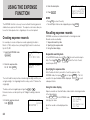
Deleting memos
INS
Either a single memo or the entire memo list can be deleted.
(“memo2” is blinking.)
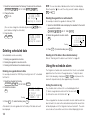
3. Move “memo2” after “memo4”.
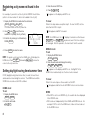
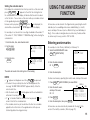
Deleting a single memo
For example, to delete the memo “X’mas presents list”:
1. Select the MEMO mode and recall the data.
(“memo2” is blinking.)
memo1
memo2
memo3
memo4
memo5
memo1
memo2
memo3
memo4
memo5
memo1
memo3
memo4
memo2
memo5
MEMO
(Press
appears.)
repeatedly until the memo item “X’mas presents list”
2. Delete the MEMO.
Y
. (To retain the data, press
After the deletion, the next item will appear.
ENTER
NOTES:
DEL
3. Press
4. Store the new order.
N .)
• Press C•CE to cancel any changes.
• If there is any secret entry between “memo4” and “memo5” which is
hidden from view by the SECRET function, “memo2” will be stored
before “memo5” but not immediately after “memo4”. (Refer to
“USING THE SECRET FUNCTION” on page 27.)
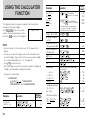
21