1
Upgrade the Local switches to the new code.
Do not reboot the Local switches yet.
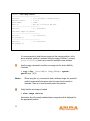
From the Master CLI, enter
apboot location 0.0.0
Now reboot the Local switches.
The APs should now have the new version of ArubaOS since they were rebooted
and not failed over through VRRP.
Reverting to AirOS 2.X.X.X
If necessary, you can to return to your previous version of AirOS 2.X.X.X software
after upgrading to a newer version. Be sure to back up your switch before reverting
the OS. Also import the local database and the WMS database.
Caution —
When reverting the Mobility Controller software, whenever possible
use the previous version of software known to be used on the
system. Loading a different prior release not specifically confirmed
to operate in your environment could result in an improper
configuration.
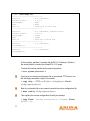
Determine the name of the current configuration file.
(aruba) #show boot
Config File: default.cfg
Boot Partition: PARTITION 1
In this example, default.cfg is the name of the configuration file.
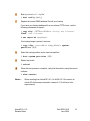
Determine where your backup software is stored.
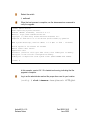
Use the following command to check the memory partitions:
ArubaOS 2.4.1.0
Release Notes
Part 0500116-01
June 2005
16