1
PERSONL VIDEO RECORDER FETURES
(CONTINUED)
HOW TO RECORD ND STORE PROGRM
There are three ways to record a program:
• Record a program while you watch it
• Record a program from the Program Guide
• Manually record all programs in a single time slot
Record a program while watching it
If you have been tuned to a program since it started, you can press the
entire program will be recorded.
key at any time during the broadcast and the
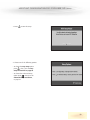
1. Press
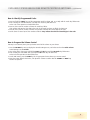
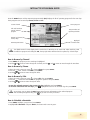
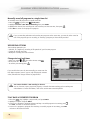
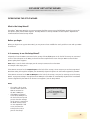
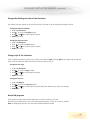
2. When the Confirm Recording screen is displayed, press SELECT to record and store the program. The RECORD indicator
on the front panel lights up for a few seconds after you confirm the recording.
Title of recorded program
Recording time
Number of episodes programmed
Save time
To record more than one episode of a program and modify
key rather than the SELECT
the save time, press the
key. For more information on recording options, refer
to the next page.
Record a program from the Program Guide
With this type of recording, you decide in advance what programs to record, so you’ll never miss them.
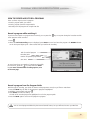
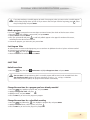
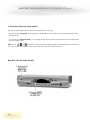
1. Press the GUIDE key; the title of the program in progress is highlighted.
2. Highlight a program title and press
3. Press SELECT to confirm recording.
The title of the recorded program is highlighted in red in the program guide.
4. Press the GUIDE again to return to the program in progress.
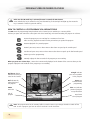
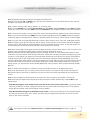
You can record programs blocked by the Parental Control feature, but you will need to enter your PIN first.
19