1
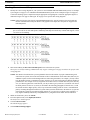
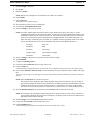
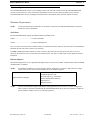
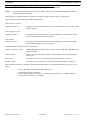
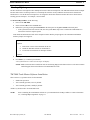
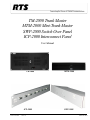
TM-2000 & MTM-2000 User Manual Installation 17 Checking IRQ Assignments The PCI architecture is designed to allow multiple PCI cards to share an interrupt line. The TM-2000 software allows multiple RS-485 cards to share an interrupt. However, an interrupt line which is used by an RS-485 card must not be shared with another device. It is OK the same interrupt line to be assigned to an RS-485 card and to another PCI device which doesn’t actually generate interrupts—for example, a VGA monitor. To check for IRQ conflicts, do the following: 1. Power on the TM-2000. 2. Insert software CD into the CD-ROM drive. 3. Reboot the system by pressing the reset button on the front panel or the power switch on the back panel. • If the system does not boot from the CD, enter the system BIOS setup screen. Confirm the CD-ROM drive is listed as the first boot sequence option. Linux loads and information scrolls on the computer monitor until the prompt appears. The TM-2000 Trunk Master Software prompt screen appears. TM-2000 Trunk Master Software Options: 1. Run a demo version of the TM-2000 off the CD. 2. Install the TM-2000 software on the hard drive. 3. List PCI devices and check for interrupt conflicts. Option? 4. In the Option field, enter 3. 5. Press Enter () to confirm your selection. A list of all PCI devices which use interrupts will display. NOTE: Make sure the RS-485 ACCESS I/O cards are not sharing IRQ(s) with other PCI devices. The most common conflict happens between the Ethernet card and the RS-485 cards. TM-2000 Trunk Master Software Installation There are three (3) operation modes for the TM-2000: • • • Stand-alone operation. Active/standby operation, active by default. Active/standby operation, standby by default. All three (3) modes need to be loaded and tested. NOTE: Prior to installing the Trunk Master Software on your TM-2000 check for IRQ conflicts. For more information see, “Checking IRQ Assignments” on page 17. Bosch Security Systems, Inc. User Manual F.01U.193.264 Rev. 12