1
Before Starting Playback
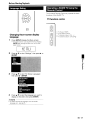
RSS Reader function
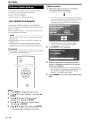
In this Player, text information, such as news, which
SHARP provides through the internet can be displayed
scrolling text.
• To enjoy this function, perform the broadband internet
connection (page 18) and communication settings (pages
42-44), then perform the following operation.
~NOTE
• The information displayed varies periodically. However, the
updating period is not constant depending on the content.
• The operation and text display may not be possible
depending on the status of the player.
• When the main feature of a disc is played and the menu
screen is displayed, this function cannot be displayed.
• When loading a disc, this function sometimes cannot be
displayed.
• Please note that SHARP does not take any responsibility
for the contents displayed with this function.
o
SETUP
I
c(ii'
(')
1
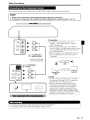
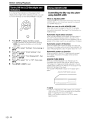
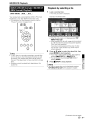
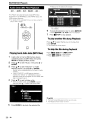
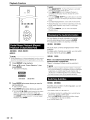
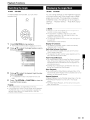
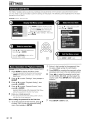
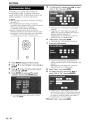
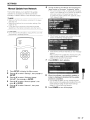
Press SETUP to display the Menu screen.
• The same operation can be performed by pressing
ENTER after selecting the Menu icon on the Wall
paper screen.
2
3
4
"
Qj
'<
tT
Q)
(')
;lII'"
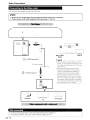
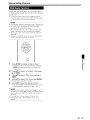
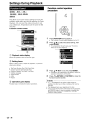
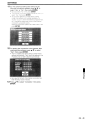
Press J;./T to select "e-Contents", then press
~ or ENTER.
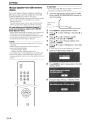
Press J;./T to select "RSS", then press ~ or
ENTER.
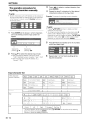
Press J;./T to select "On", then press ENTER.
• Select "Off" to turn off this function.
S
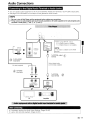
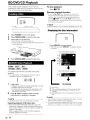
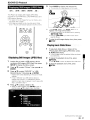
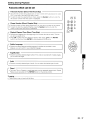
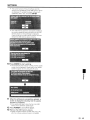
Press J;./T to select the desired channel.
• The text information on the selected channel, such as
news, is displayed, scrolling from right to left.
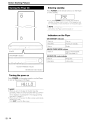
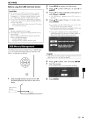
~ NOTE - - - - - - - - - - - - • If you want to change the channel, press ~/~ to select
the RSS icon and press JiI./~ to select the desired channel
while the Wall paper screen (Blu-ray Disc logo screen) is
displayed.
• If you want to turn the text display off, perform the
operations from step 1 when playback of the disc is
stopped.
@- 23