1
29
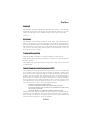
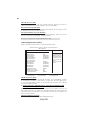
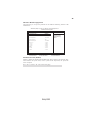
Advanced BIOS Features
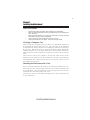
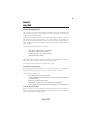
This option displays basic information about your system.
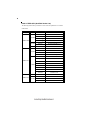
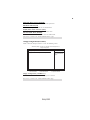
CMOS Setup Utility - Copyright (C) 1985-2004, American Megatrends, Inc.
Advanced BIOS Features
Advanced Settings
Warning: Setting wrong values in below sections may cause
system to malfunction.
CPU Configuration
IDE Configuration
Floppy Configuration
Help Item
Options for CPU
[Press Enter]
[Press Enter]
[Press Enter]
: Move Enter : Select +/-/: Value F10: Save ESC: Exit F1: General help
F7:Previous Values
F8: Fail-Safe Defaults
F9: Optimized Defaults
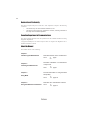
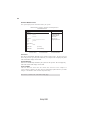
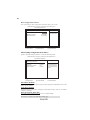
CPU Configuration (Press Enter)
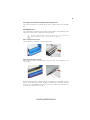
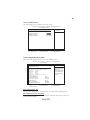
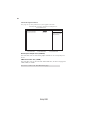
Scroll to this item and press <Enter> to view the following screen:
CMOS Setup Utility - Copyright (C) 1985-2004, American Megatrends, Inc.
CPU Configuration
Configure advanced CPU settings
Module Version : 3C.0E
Help Item
Manufacturer : Intel
Brand String : Genuine Intel (R) CPU 3.00GHz
Frequency
: 3.00GHz
FSB Speed : 800MHz
Cache L1
: 32 KB
Cache L2
: 4096 KB
Ratio Status : Unlocked (Max : 23, Min : 12)
Ratio Actual Value : 15
Ratio CMOS Setting
:
[15]
Max CPUID Value Limit
:
[Disabled]
Vanderpool Technology
:
[Enabled]
CPU TM function
:
[TM1]
Execute Disabled Bit
[Disabled]
Intel (R) SpeedStep(tm) tech.
[Disabled]
: Move
Sets the ratio between
CPU Core Clock and the
FSB Frequency.
Note: If an invalid ratio has
been entered to this field,
BIOS will restore it to previous state.
F1: General help
Enter : Select +/-/: Value F10: Save ESC: Exit
F8: Fail-Safe Defaults
F9: Optimized Defaults
F7:Previous Values
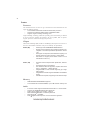
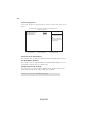
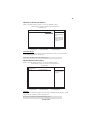
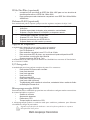
Ratio CMOS Setting (15)
This item allows you to set the ratio between CPU Core Clock and the FSB Frequency.
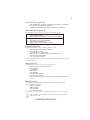
Max CPUID Value Limit (Disabled)
This item should be enabled in order to boot legacy OSes that cannot support CPUs with
extended CPUID functions.
Using BIOS