1
Advanced Features
Contents
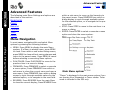
Looking for information on the Playback (Shuffle
and Repeat) or Equalizer Menu options? Click the
links in the previous sentence to jump to the Playback or Equalizer sections in this manual.
Bookmarks
Bookmarks are electronic markers you can set in a
track to return to later. Bookmark options include:
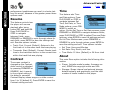
• Set: Displays Bookmark list with a bookmark
number highlighted. Bookmarks already set are
shown in bold text. Press FORWARD to set bookmark and return to Player mode.
• Select: Displays Select Bookmark list. Press
PLAY/PAUSE and STOP to navigate through the
list; press FORWARD to select a bookmark and
begin playback.
• Delete: Displays Delete Bookmark list. Press
PLAY/PAUSE and STOP to navigate through the
list; press FORWARD to delete a highlighted
bookmark.
Power
Tip: If you install a replacement battery,
select the Battery type on the Power
Control screen, to ensure that the battery
icon accurately displays the power level.
Index
15
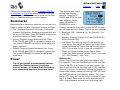
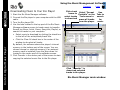
This feature sets power
saving and display
options. Press PLAY/
PAUSE and STOP to navigate between fields;
press FORWARD or
REVERSE to cycle
through values for each field; press ENTER to save
the settings and exit. Power Control options include:
• Backlight: Off, 2 seconds (s), 5s (Default), 10s,
20s, On
• Battery: Alkaline (Default S10 and S30S/S35S),
NiMH (Default S50)
• Pwr Save: This setting controls the amount of
time before the player will switch to Power Save
mode, indicated by “Power Saving” shown on the
LCD, if the player is not in use but turned ON.
Press any player button to exit Power Save
mode. Pwr Save options include: Never, 1 minute
(m), 5m (Default), 10m, 30m
Battery life
Power Control settings can effect the battery life.
For example, if you set the Backlight to ON, and Pwr
Save to NEVER, it will result in shorter battery life
than if you were to set the Backlight to OFF and Pwr
Save to 1 minute. In addition, leaving the player in
Power Save mode, instead of turning it OFF (O) with
the OFF/ON switch, uses battery power. Turn your
player OFF if you will not be using it instead of leaving it in Power Save mode for extended periods of
time. High playback volume level and using high