1
C.
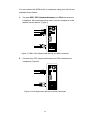
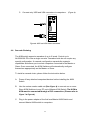
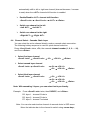
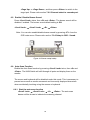
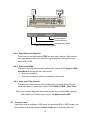
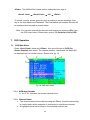
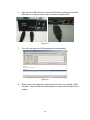
Connect only USB and VGA connectors to computers. (Figure 9).
Figure 9: USB and VGA video connected
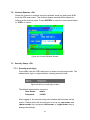
4.4. Cascade Chaining
The KVM switch supports cascades of up to 3 levels. Control up to
64/256/4096 PCs from a single console. Cascaded units do not require any
special configuration. A cascade configuration expands the system’s
capabilities and allows you to select computers connected to the Master or
Slave. Once connected, the KVM Switches will automatically configure
themselves appropriately as the Master or Slave.
To install a cascade chain, please follow the instruction below.
A.
Power off any attached computers/devices before installing the KVM
Switch.
B.
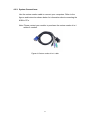
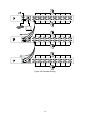
Use the custom combo cable set (See Figure 6) to connect one or more
Slave KVM Switches to any PC port of Master KVM Switch. The KVM to
KVM must be connected through a PS/2 connection. (Please refer to
Figure 7 & Figure 8).
C.
Plug in the power adapter of the first level Master KVM Switch and
connect Master KVM switch to computers.
11