1
EVS Broadcast Equipment S.A. - November 2011
Issue 11.00.C
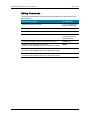
Glossary
M
Multicam Configuration window
Window in the server-based and web-based Multicam Setup application
from where you can define all configuration parameters.
Multicam Setup application
Term used to refer equally to the server-based or web-based user interface used to set up and configure the EVS servers
Multicam Setup window
Initial Window in the server-based and web-based Multicam Setup application, that is displayed when the EVS server is not running a given configuration yet. It gives access to the configuration lines defined on the
EVS server and to the commonly used maintenance tools.
O
Operational Setup menu
Menu accessible on the Remote Panel using the SHIFT+D keys form the
main menu. It allows users to define operational parameters.
S
Server-Based Multicam Setup application
Server-Based application used to set up and configure the EVS servers.
The short form is 'Server-Based application' in this user manual. This is
accessible from the EVS Server itself when it has been started.
T
Technical Setup menu
Menu accessible on the Remote Panel using the F0 key. It allows users to
define currently used configuration parameters.
W
Web-Based Multicam Setup interface
Web-Based interface used to set up and configure the EVS servers. The
short form is 'Web-Based interface' in this manual. This is accessible
from any machine (PC or server) that is on the same network range as the
EVS server. This can be accessed from a web browser using the
58
Glossary