1
Contents . . . . . . . . . . . . . . . . . . . . . . . . . . . . . . . . . . . . . . . . . . . . . . . . . . . . . . . . . . . . . . . . . . . . . . . . . . . . . . . . . . . .2
Introduction
Contents
Introduction . . . . . . . . . . . . . . . . . . . . . . . . . . . . . . . . . . . . . . . . . . . . . . . . . . . . . . . . . . . . . . . . . . . . . . . . . . . . . . . .3
About This Guide ........................................................................................................... 3
Manual Structure ........................................................................................................... 3
Symbols Used in this Guide .......................................................................................... 3
Appendix . . . . . . . . . . . . . . . . . . . . . . . . . . . . . . . . . . . . . . . . . . . . . . . . . . . . . . . . . . . . . . . . . . . . . . . . . . . . . . . . . 26
Printing Directly from Other Applications ........................................................................ 26
Setting the Printer Driver ............................................................................................. 26
Printing from Other Applications .................................................................................. 28
Uninstalling Software ...................................................................................................... 29
For Windows ................................................................................................................ 29
For Mac ....................................................................................................................... 30
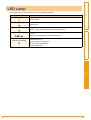
LED Lamp ....................................................................................................................... 32
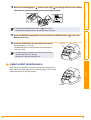
Maintenance ................................................................................................................... 33
Print head maintenance ............................................................................................... 33
Roller maintenance ...................................................................................................... 33
Label outlet maintenance ............................................................................................ 34
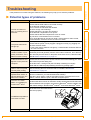
Troubleshooting .............................................................................................................. 35
Potential types of problems ......................................................................................... 35
Specifications .................................................................................................................. 36
Product Specifications ................................................................................................. 36
Operating Environment ................................................................................................ 36
2
Appendix
Label Creation Overview ................................................................................................... 4
From Label Creation to Printing ..................................................................................... 4
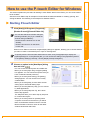
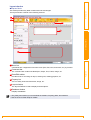
How to use the P-touch Editor for Windows ..................................................................... 6
Starting P-touch Editor .................................................................................................. 6
Start P-touch Editor Help ............................................................................................. 10
Creating Labels with Other Applications ...................................................................... 12
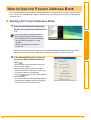
How to Use the P-touch Address Book ........................................................................... 18
Starting the P-touch Address Book ............................................................................. 18
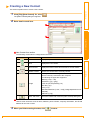
Creating a New Contact .............................................................................................. 20
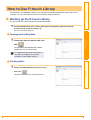
How to Use P-touch Library ............................................................................................ 21
Starting up the P-touch Library .................................................................................... 21
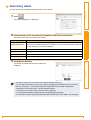
Searching labels .......................................................................................................... 22
How to use the P-touch Editor for Mac ........................................................................... 23
Starting the P-touch Editor .......................................................................................... 23
Start P-touch Editor Help ............................................................................................. 25
Creating Labels
Creating Labels . . . . . . . . . . . . . . . . . . . . . . . . . . . . . . . . . . . . . . . . . . . . . . . . . . . . . . . . . . . . . . . . . . . . . . . . . . . .4