1
Installing the Hardware
Before You Start
For the PC Card to be used with a computing device (desktop personal computer, notebook, laptop computer, portable
or hand-held device), the device must be equipped with an
internal or external PC Card Type II or Type III slot. All drivers and supporting software (card and socket services) for
the PC Card slot must be loaded and configured. Please
follow the manufacturers guidelines for installing the software as well as installing the PC4500 or PC4800.
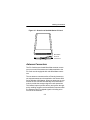
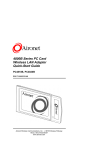
After unpacking the PC Card, make sure the following items
are present and in good condition:
•
PC4500 or PC4800 Wireless LAN Adapter
•
Standard Snap-On Antenna
•
Software Driver Diskette
•
Utilities Diskette
If any item is damaged or missing, contact your Aironet supplier. Save all shipping and packing material in order to
repack the unit should service be required.
NOTE: Any remote antenna and its associated wiring are
ordered and packed separately.
2-2