1
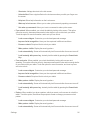
 o Auto-capitalization: When enabled, Swype automatically capitalizes the first word of sentences.
o Auto-spacing: When enabled, Swype automatically inserts spaces between words as you complete them.
o Next word prediction: When enabled, Swype predicts the next word based on the previous word.
o Show Voice key: When enabled, the Voice key is displayed on the Swype keyboard.
l Themes: Choose options for display of the Swype keyboard.
l My Words: Manage your personal dictionary and data usage.
l Languages: Choose the current language for Swype, and download new languages.
l Gestures: Learn about shortcuts you can use on the keyboard to quickly accomplish common tasks.
l Help: Get additional information about using Swype.
l Updates: Check for updates to Swype, and install them if desired.
Voice Search
Google Voice Search allows you to speak search criteria, to search the Internet.
1. Press and then touch > Settings > Language and input.
2. Touch Voice search for these options:
l Language: Choose a language for voice searching.
l “Ok Google” hotword detection: When enabled, you can say “Google” to launch voice search from the Google Search app.
l Speech output: Choose options for speech output.
l Block offensive words: When enabled, words many people find offensive are replaced in search results with a placeholder (####).
l Offline speech recognition: Download speech recognition to enable voice input while offline.
l Google Account dashboard: Manage your collected data (available when signed in to your Google Account).
l Bluetooth headset: Record your spoke commands through an optional Bluetooth headset (not included).
Settings
103