1
CONNECTIONS
PAGE 11
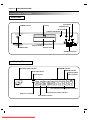
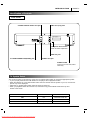
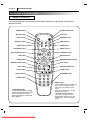
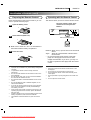
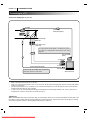
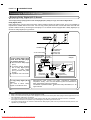
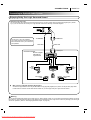
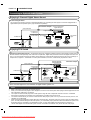
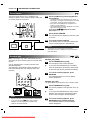
Connecting to an Audio System
You can listen to the sound of audio CDs and DVD video discs in stereo.
DIGITAL
OUT
COAXIAL
TV
AUDIO
OUT
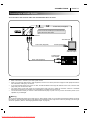
To S-VIDEO OUT
L
If the TV has an S-video input, connect the DVD
player with the S-video cable.
R
A/V EUROCONNECTOR
S-VIDEO
OUT
To AUDIO OUT (L/R)
S-video cable (not supplied)
VIDEO
OUT
To VIDEO OUT
To S-video input
Video cable (Supplied)
To video input (yellow)
TV or monitor with
audio/video inputs
To audio inputs
of the amplifier
Audio cable (Supplied)
Audio system
Notes
❍
❍
❍
❍
❍
Refer to the owner’s manual of your audio system as well.
When you connect the DVD player to other equipment, be sure to turn off the power and unplug all of the equipment from the
wall outlet before making any connections.
If you place the DVD player near a tuner or radio, the radio broadcast sound might be distorted. In this case, move the DVD
player away from the tuner and radio.
The output sound of the DVD player has a wide dynamic range. Be sure to adjust the receiver’s volume to a moderate
listening level. Otherwise, the speakers may be damaged by a sudden high volume sound.
Turn off the receiver before you connect or disconnect the DVD player’s power cord. If you leave the receiver power on, the
speakers may be damaged.
Warning
Do not set the Digital Audio Output of this DVD player to “Dolby Digital” unless you are connecting the DIGITAL AUDIO jack of this
DVD player to an AV decoder that has the Dolby Digital (AC-3) decoding function. High volume sound may damage your hearing as
well as the speakers. (Refer to “Selecting Digital Audio Output” on page 35.)
Downloaded From DvDPlayer-Manual.com Marantz Manuals