1
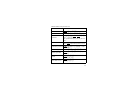
Message service
See Message Service on page 27
Program softkeys
See Program softkeys on page 30
Ringer
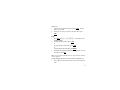
1. Select Ringer:.
2. Press FULL for a normal ring volume and cadence.
3. Press CHIRP for one short ring at low volume.
4. Press NONE for no audible ring.
Ring types
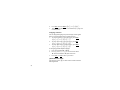
1. Select Ring types>.
2. Press >, , or . to hear samples.
3. Press SELCT to choose a new ring type, k.
Ringer volume
1. Select Ringer volume>.
2. Press > , , or ., to hear samples or press a number
from 1 to 5.
3. Press SELCT to choose a new ring volume, k.
Vibrator
24
Select Vibrator:. The display shows V, and the portable
vibrates briefly.