1
5. Operation ____________________
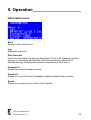
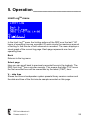
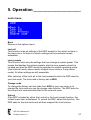
User presets
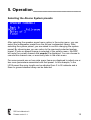
In the DDP up to 99 user-presets can be made, consisting of factory system
preset, gain, mute, input-mode, equalising and delay. These presets can be
tagged with a 21-character name which is also shown at the top of the main
menu.
Back
Returns to the setup menu.
Preset:…
Selects one of 100 presets. The first preset is the ‘DigitalDriveProcessor’
preset which cannot be overwritten or has its name changed. You recall this
preset to reset all the DDP settings at once.
After selection of the desired preset it must be recalled or stored. To indicate
this a question mark, ? is displayed behind Recall and Store.
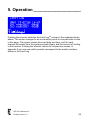
Recall (previous)
After selection of the desired preset, pressing Recall, recalls all settings from
this preset. The current settings of the DDP are lost. After pressing Recall,
the indication switches to the recall previous function. You can now switch de
DDP back and forth between the current and previously selected preset.
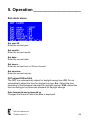
Store
After selection of the desired preset, pressing Store, stores all current
settings of the DDP to this preset. Any previous settings stored in this preset
are overwritten.
DDP User’s Manual rev.0
Firmware version V1.4
18