1
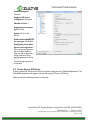
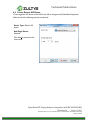
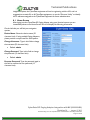
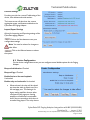
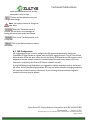
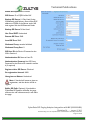
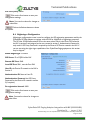
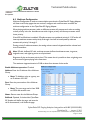
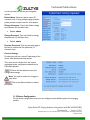
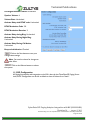
Technical Publications Current Settings: Provides you with the current IP addressing of the device, Mac address and serial number. The home screen will also show the current registration status, and features enabled on the CyberData SIP Paging Adapter. Import/Export Settings Allows for Importing and Exporting settings of the CyberData paging Adapter Click on the Save button to save your configuration settings. Note: You need to reboot for changes to take effect. Click on the Reboot button to reboot the system. 8.2 Device Configuration On the device configuration screen you can configure several default options for the Paging Adapter. Beep on Initialization: Checked Beep on Page: Checked Enable lint-in to line-out loopback: Unchecked Enable relay on local audio: Unchecked When selected, the relay will be closed any time that audio is played out of the line-out/page port. This setting is for legacy analog amplifiers that are often connected to the page port. Analog amplifiers will often have a noticeable hum if they are turned on while there is no audio being played. The relay closure CyberData SIP Paging Adapter Integration with MX (0000000400) Revision 14 - August 2, 2013 © 2013 Zultys, Inc. No reproduction of distribution without permission Page 13 of 25