1
OPERATION
TRANSMITTING
Electronic Keyer Operation
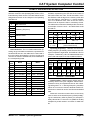
ACS (Auto Character Spacing)
The built-in electronic keyer offers two iambic modes
and a mechanical “bug” keyer emulation. You will need
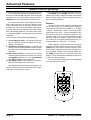
to connect keyer paddles to one of the KEY jacks to
use the keyer.
This feature improves your CW sending quality by
ensuring the inter-character spacing of dots and dashes
remains constant. Although dot/dash weighting is automatically maintained at the desired ratio, the intercharacter spacing can sometimes vary from operator
to operator, and proportional spacing is sometimes not
maintained. This does not present much of a problem
during slow CW sending, but at higher speeds, the effect is more pronounced and sometimes makes copy
difficult.
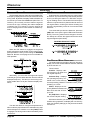
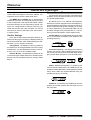
The keyer is set at the factory for iambic keying, in
which one keyer paddle produces dots, and the other
dashes. Squeezing both produces alternating dits and
dahs. Menu selection 7-0 allows choosing three keyer
modes:
Iambic 1 - Iambic keyer with ACS (Auto-Character
Spacing) disabled. Weighting is user-selectable via
menu selections 7-1 & 7-2.
Iambic 2 - Iambic keyer with ACS enabled. Weighting is set via menu selections 7-1 & 7-2.
BUG - Emulates mechanical “bug” keyer (one
paddle produces dits and the other is used to produce
dahs manually (like a straight key)).
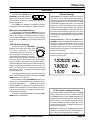
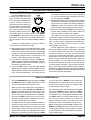
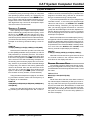
Once the transceiver has been set up for CW transmission as just described, you can activate the keyer
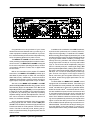
with the [KEYER] pushbutton near the lower right corner
of the front panel (its red LED should light). Now squeeze
the paddles, and adjust the SPEED control for the desired sending speed (if you are using the bug simulator
mode, don’t squeeze both paddles; just press the “dot”
paddle).
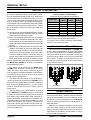
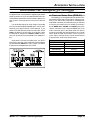
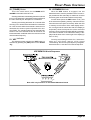
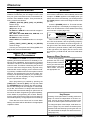
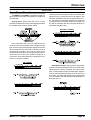
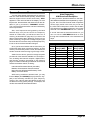
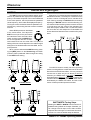
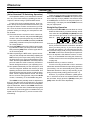
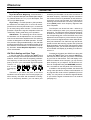
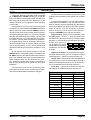
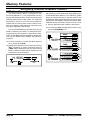
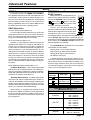
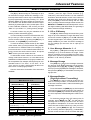
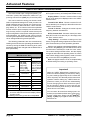
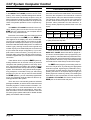
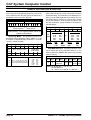
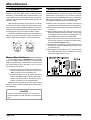
ACS works on the principle that the spacing between characters should be 3x the duration of the “dot.”
If you utilize the standard 3:1 dash:dot ratio, this also
happens to be the same duration of a “dash.” Maintaining this inter-character spacing is what prevents the
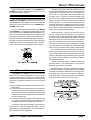
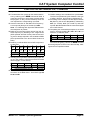
sent characters “E” and “T,” for example, from merging into what sounds like the character “A” (see illustration).
ACS is activated when keyer mode “Iambic 2” is
selected from menu function 7-0. For memory keyer
programming using the optional FH-1 Keypad, you
should always use keyer mode Iambic 2 during message programming, although you can switch back to
Iambic 1 after the messages are loaded, if Iambic 1 is
more comfortable for you.
If the dot:space and/or dash:space weighting are
not to your preference, see menu selections 7-1 and 7-2
to configure your keyer’s settings.
You can use the keyer for both semi and full breakin keying, as described in the previous section.
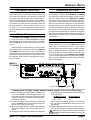
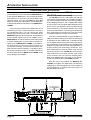
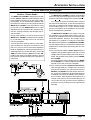
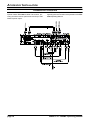
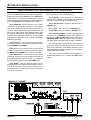
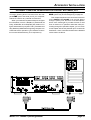
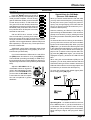
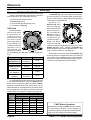
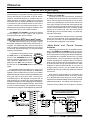
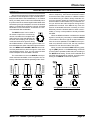
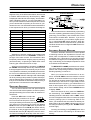
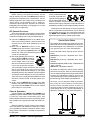
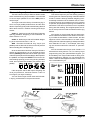
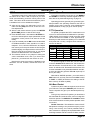
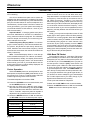
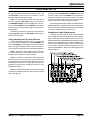
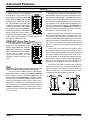
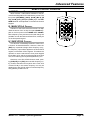
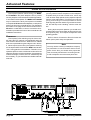
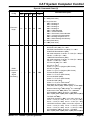
CW Straight Key and Paddle Connections
MARK-V FT-1000MP Operating Manual
page 55