1
EQUALIZER
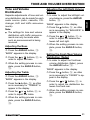
Adjusting the Level Indicator
Selecting the spectrometer type
The level indicator, or spectrometer, on
your display temporarily provides a symbolic indication of the volume, the tone
control settings and the equalizer settings while you make the adjustments.
When adjustments are not being made,
the spectrometer displays the car radio's
output level.
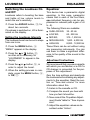
In the menu you can choose the type of
the spectrometer.
Two types are available.
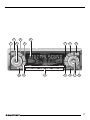
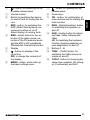
➮ Press the MENU button, 8.
“MENU” appears in the display.
button, :, as often
as is necessary for “EQ DISPLAY”
to appear in the display.
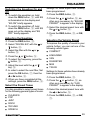
➮ Press the
or button, :, to select one of these displays: “SPECTRUM 1”, “SPECTRUM 2” or “EQ
DISP OFF”.
➮ Press the
➮ When the setting process is complete, press the MENU button, 8,
or OK, ;.
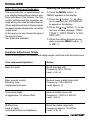
Equalizer Adjustment Guide
Start the settings with the middle and treble ranges, and finish with the bass tones.
Tone impression/problem
Action
Bass too quiet
Boost the bass with
Frequency: 50 to 100 Hz
Level: +4 to +6
Bass sounds muddy
Booming tone
Unpleasant pressure
Reduce lower middle tones with
Frequency: 125 to 400 Hz
Level: approx. -4
Tone lacks depth,
is aggressive, no stereo effect.
Reduce middle tones with
Frequency: 1,000 to 2,500 Hz
Level: -4 to -6
Muffled tone
Lack of clarity
Instruments have no brightness
Boost the treble range with
Frequency: approx. 12,500 Hz
Level: +2 to +4
54