1
Crestron C2N-DVP4DI
Digital Video Processor
3.
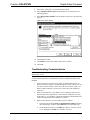
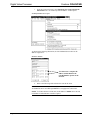
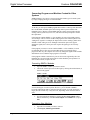
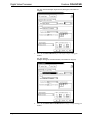
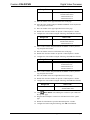
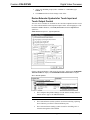
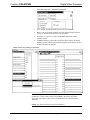
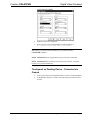
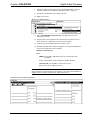
Click 2-Series in the Target Control System Classes list box.
You can select other types of
control systems as well, but then
you will be limited to symbols that
are supported by all of these
platforms. The module may still
work on unselected control
systems so long as unsupported
symbols are not used. Selecting a
control system means that you are
requiring the module to work
there.
After you convert each module in
a program, you can convert the
program as described previously:
drag the C2N-DVP4DI onto the
existing control system in System
Views and click Yes to confirm
the replacement.
For further information about
compile-time errors and detailed
explanations about working with
modules, refer to the SIMPL
Windows online help file.
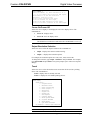
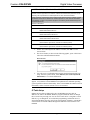
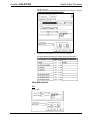
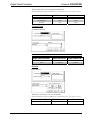
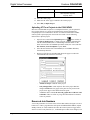
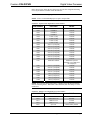
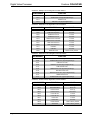
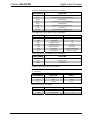
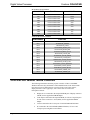
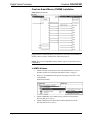
Module Header Information
Example Programs
Example programs for the C2N-DVP4DI are available from the Crestron FTP site:
ftp://ftp.crestron.com/examples/sample_page_flip-master.zip.
Creating a C2N-DVP4DI Project with VT Pro-e
VT Pro-e acts as a simulator for creating touchpanel projects and permits the creation
of control screen variations incorporating two and three-dimensional graphics and
text. A set of pages, which make up a project, can be designed for each C2NDVP4DI touch-sensitive screen overlay application. Each page contains objects such
as custom control graphics, video windows, two and three-dimensional buttons,
sliders, and digital readouts which allow the user to interface with the control system.
The project is uploaded into the C2N-DVP4DI compact flash. The unit uses the
programmed project until another project is uploaded from a PC.
Creating a project for the C2N-DVP4DI is similar to creating a project for a TPS
touchpanel. It is recommended that you create a new project rather than coping a
touchpanel project to a C2N-DVP4DI. Once you have created a project for the C2NDVP4DI you can copy pages from the touchpanel to the C2N-DVP4DI.
Comparison of C2N-DVP4DI to TPS Touchpanels
Reference Guide – DOC. 6177A
•
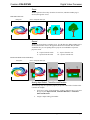
RGB and video objects are exactly the same on the C2N-DVP4DI; on the
TPS touchpanel they are different objects.
•
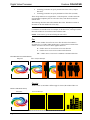
The C2N-DVP4DI can display four different sources plus the background at
the same time from 12 different sources and transition the sources
seamlessly.
•
The C2N-DVP4DI has translucent objects.
Digital Video Processor: C2N- DVP4DI • 35