1
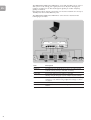
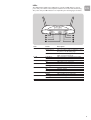
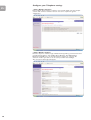
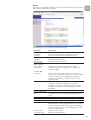
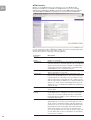
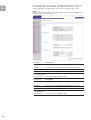
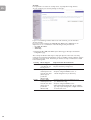
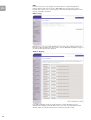
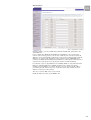
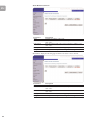
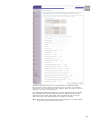
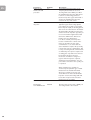
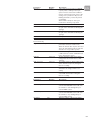
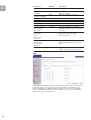
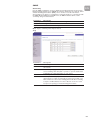
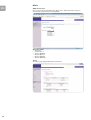
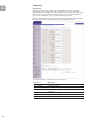
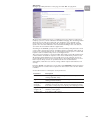
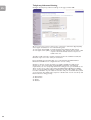
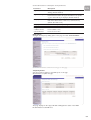
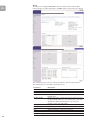
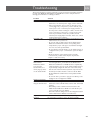
See the description of the parameters below.
EN
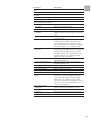
Parameter
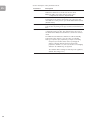
SSID
SSID Broadcast
Wireless Mode
Channel
Description
Service Set ID. The SSID must be the same on the ADSL Modem
Multiservices PSTN Voice and all of its wireless clients.
Note: The SSID is case sensitive and can consist of up to
32 alphanumeric characters. (Default: WLAN)
Enable or disable the broadcasting of the SSID. Enable SSID
broadcasting on the wireless network for easy connection with
client PCs. For security reasons, you should disable SSID broadcast.
(Default: Enable)
This device supports both 11g and 11b wireless networks. Make
your selection depending on the type of wireless network that you
have.
The radio channel used by the wireless router and its clients to
communicate with each other. This channel must be the same on
the ADSL Modem Multiservices PSTN Voice and all of its wireless
clients.
The ADSL Modem Multiservices PSTN Voice will automatically
assign itself a radio channel, or you may select one manually.
Note: If you experience poor performance, you may be encountering
interference from another wireless device. Try changing the
channel, as this may eliminate interference and increase
performance. Channels 1, 6, and 11, as the three non-overlapping
channels in the 2.4GHz range, are preferred.
The available channel settings are limited by local regulations.
(Default: Auto; Range: 1-11)
32