1
305-005602
CODES
6/17/02
Codes Available on the Compact/C
11:01 AM
The Compact/C uses 45-baud Baudot code by default when it
sends and receives signals. For faster calls and additional features,
Turbo Code may be used. For calls placed to Australia, New
Zealand, or South Africa, 50-baud Baudot code is also available.
Using Turbo Code®
Page 54
About Turbo Code
Turbo Code is an improved version of Baudot code. It sends signals
to other TTYs that have Turbo Code as fast as you type. Turbo
Code allows you to interrupt the other person while he or she is
typing. It also allows you to send special characters such as the “@”
symbol. The Compact/C only uses Turbo Code when you turn it on
and then connect with another Turbo Code TTY. You know you are
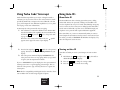
connected in Turbo Code when the
symbol appears in the upper
left corner of the display.
Turning on Turbo Code
Note: For best compatibility with digital wireless networks, do not
turn on Turbo Code for calls using a digital cell phone.
You can switch from Baudot to Turbo Code at any time:
– key. You will see
1. Hold down the Ctrl key and press the —
CODE: [BAUDOT] turbo/baudot on the display.
2. Press the Spacebar to change the setting to
[TURBO/BAUDOT] and press
.
3. Press the Spacebar to select [ON] . Then, press the Esc key.
Using 50-Baud Baudot Code
– key. You will see
1. Hold down the Ctrl key and press the —
CODE: [BAUDOT] turbo/baudot on the display.
2. Press
. Then, press the Spacebar to select [50 BAUD].
3. Press the Esc key. You will return to the Conversation
screen.
4. Turn the Compact/C off and then on again to return to
45–baud Baudot code.
26
POWER &
BATTERIES
KEYBOARD &
DISPLAY
TIME/DATE
TELEPHONE/
WIRELESS
CALLS
MEMOS
CONVERSATIONS
MEMORY
DIRECTORY
CODES
CARE &
REPAIR