1
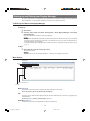
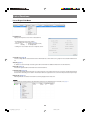
Checking the Device Status
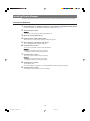
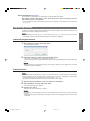
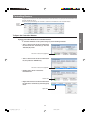
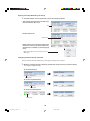
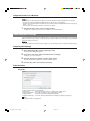
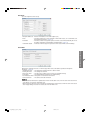
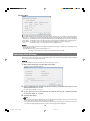
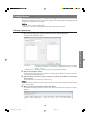
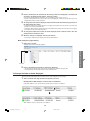
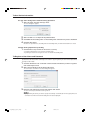
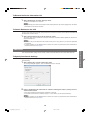
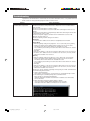
The device status can be checked from the device information list.
(2)
(3)
(4)
(5)
(6)
(7)
(8)
(9)
(10)
(11)
(12)
(1)
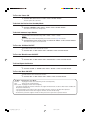
(1) Status Icon
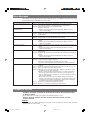
The status icon indicates the device status.
(Green) : The device was powered on normally.
(Red) : The device is in standby mode.
(Gray) : The device is in communication mode.
å
: An error has occurred.
×
: A connection error has occurred.
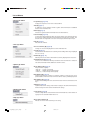
(2)Device Name, (3) IP Address, (4) MAC Address, and (6) Model
The device name, IP address, MAC address and model name are obtained for display.
• When the device is a projector, the projector name is displayed in "Device Name".
• When the device is a monitor, the monitor name is displayed in "Device Name".
• The MAC Address cannot be displayed unless the device is found.
(5) Status
Displays detailed device status.
Normal
: The device is operating normally.
Temperature Error
: The temperature inside the device is high.
Cooling Fan Error
: The cooling fan is broken.
Filter Cover Error
: The filter cover, air filter or lens cover are not installed correctly.
Lamp Error
: The lamp/backlight is burned out or malfunctioning.
Communication Error : No response is received from the device.
Connection Error
: The device cannot be connected.
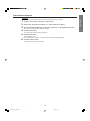
• When the errors specified in "Alert Setting" occur, an error alert will be displayed (Alert Setting → page 14).
• When the errors specified in "Error Mail" occur, a mail message will be sent to a specified address (Error
Mail → page 13).
• When an error occurs, refer to "Troubleshooting" on page 24.
(7) Lamp Status
The projector lamp status is displayed as follows.
ON : The lamp is ON.
OFF : The lamp is OFF.
Retry : Inspection of the lamp is requested.
Wait : The projector is warming up or cooling.
(8) Lamp Life and (9) Remaining Lamp Life
Information on the lamp life and remaining lamp life of the projector is obtained for display.
• If no information can be obtained, "----" appears.
(10) INPUT
The input terminal currently in use is displayed.
(11) INPUT Signal
• "NTSC", "PAL" or "SECAM" is displayed when a video signal is input.
• The resolution is displayed when a non-video signal is input.
(12) Serial Number
The device serial number is obtained for display.
• If no information can be obtained, "----" appears.
• Serial number data is not available for all devices.
8
Disp_Manager_E_p06-08.p65
8
08.4.18, 15:58