1
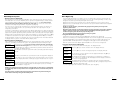
Door Chime Feature
The door chime feature is used, while the panel is disarmed, to provide a tone from the keypad each
time a door or window is opened or closed. The doors and windows which will provide this indication
are programmed by your installer.
To activate the door chime from an LED Keypad:
Enter [✱][4] to turn the door chime feature ON and OFF. When the command is entered, the keypad
buzzer will beep 3 times if the door chime feature is enabled and will sound one long beep if it is
disabled. Press [#] to return to the Ready state.
To activate the door chime from an LCD Keypad:
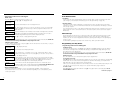
Start with the panel in the disarmed mode, press [✱] to enter the function list, then scroll to find...
Press (*) For <> Press [✱] or [4] to enable or disable the Door Chime feature. Press [#] to return to
the Ready state.
Door Chime
Language Selection (LCD Keypads Only)
The displayed language of the keypad can be changed by pressing and holding both of the arrow (< >)
keys simultaneously. This will cause the keypad to enter the Language Selection mode. Scroll to the
desired language and press the [✱] key. This will select the new language and restart the keypad.
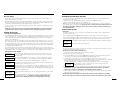
Fire Alarm Operation
Alarm
On a fire alarm, the bell or siren will pulse ON and OFF. The transmission of the alarm to the monitoring
station is delayed for 30 seconds. If the alarm is not cleared within the 30 second delay, it will then be
transmitted to the monitoring station.
Silence
To silence the bell or siren, press the [#] key. If the alarm is silenced and the smoke detector is not
reset, the alarm will resound after 90 seconds.
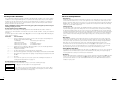
Resetting Smoke Detectors
15
___________________________________________
_____________________________________
16
___________________________________________
_____________________________________
17
___________________________________________
_____________________________________
18
___________________________________________
_____________________________________
19
___________________________________________
_____________________________________
20
___________________________________________
_____________________________________
21
___________________________________________
_____________________________________
22
___________________________________________
_____________________________________
23
___________________________________________
_____________________________________
24
___________________________________________
_____________________________________
25
___________________________________________
_____________________________________
26
___________________________________________
_____________________________________
27
___________________________________________
_____________________________________
28
___________________________________________
_____________________________________
29
___________________________________________
_____________________________________
30
___________________________________________
_____________________________________
31
___________________________________________
_____________________________________
32
___________________________________________
_____________________________________
Once the smoke detector is reset, if it still detects smoke, the alarm sequence will resound as
described above. If there is no smoke, the system will return to normal.
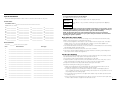
[F] FIRE __________________________________________
To reset smoke detectors from an LED Keypad:
Press [✱][7][2].
[A] AUXILIARY ____________________________________
[P] PANIC ________________________________________
The Exit Delay Time is ________ seconds.
The Entry Delay Time is ______ seconds.
For Service
14
Monitoring Station Information:
Account #: ___________________________________
Telephone #: _________________________________
Installer Information:
Company: ___________________________________
Telephone #: _________________________________
3