1
2
Installation and Setup
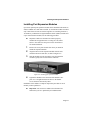
This chapter explains how to install, connect, and configure the IntraCore
8000 chassis and modules to work with your network. It also explains how
to set up your IntraCore 8000 for management, either from a console, via
telnet, via SNMP, or by using a Web browser.
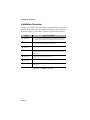
Installation Guidelines
The following guidelines will help you prepare to install your IntraCore
8000 in such a way that it has the proper power supply and environment.
Power Requirements
The source electrical outlet should be installed near the IntraCore 8000 and
easily accessible. It must also be properly grounded.
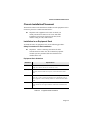
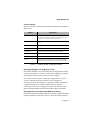
Make sure the power source adheres to the following guidelines:
G
Voltage range: 100 to 240 VAC
G
Frequency range: 60/50 Hz
G
Maximum current: 3.5 A per power supply at 110 volts
Environmental Requirements
The IntraCore 8000 must be installed in a clean, dry, dust-free area with
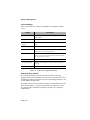
adequate air circulation to maintain the following environmental limits:
G
Temperature: 0° to 40° C (32° to 104° F)104°
G
Relative Humidity: 5% to 85% non-condensing
Avoid direct sunlight, heat sources, or areas with high levels of
electromagnetic interference.
Cooling and Airflow
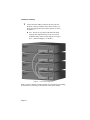
Do not restrict air flow by covering or obstructing air vents on the sides of
the IntraCore 8000.
Page 2-1