1
EVS Multicam – Version 10.03 – Configuration Manual
EVS Broadcast Equipment SA – July 2010
Issue 10.3.C
3.16 CONTROLLER AND PROTOCOL
SETTINGS
Port
Device/Protocol
p.7.1
RS422 #1 EVS Remote [F7]ID Type:
[F2]RS422 #2 EVS Remote
ID LSM
[F3]RS422 #3 EVS Remote
[F4]RS422 #4 Sony BVW75
[F5]RS422 #5 Sony BVW75
[F6]RS422 #6 Touch Screen
[Menu]Quit [Clr+F_]Dft [F9]PgUp [F0]PgDn
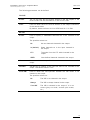
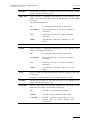
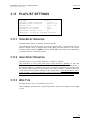
This page is used to define what type of device/controller is connected to each
RS422 port of the server.
3.16.1 RS422 #1
Value: EVS Remote
When working in LSM base configuration, the first RS422 port must always be
connected to an EVS remote. No other possible selection
3.16.2 RS422 #2
Possible values: EVS Remote, Sony BVW75, XtenDD35, Odetics, VDCP, EVS
AVSP, EVS IPDP, Edit Rec, --------Default: EVS Remote
3.16.3 RS422 #3
Possible values: EVS Remote, Sony BVW75, XtenDD35, Odetics, VDCP, EVS
AVSP, EVS IPDP, Edit Rec, --------Default: EVS Remote
3.16.4 RS422 #4
Possible values: EVS Remote, Sony BVW75, XtenDD35, Odetics, VDCP, EVS
AVSP, EVS IPDP, Edit Rec, --------Default: Sony BVW75
73