1
Chapter 2: Advanced Programming
NOTE: If the system has been Stay armed, or armed with no entry delay
([✱][9]), pressing the Away key will not start an exit delay.
For some applications Bell Squawk on Exit Delay may be enabled. The system
will squawk the alarm output once every second when the exit delay is initiated
and 3 times a second for the last 10 seconds until the exit delay expires.
Upon entry, if a Delay type zone is violated, the system will begin entry delay. The
keypad will emit a steady tone. The keypad will pulse the keypad sounder during
the last 10 seconds to warn the user the system is about to go into alarm. If there
was an alarm during the armed period, the keypad sounder will pulse for the entire
entry delay to warn the user of the previous alarm.
For some applications Bell Squawk on Entry Delay may be enabled. The system
will squawk the alarm output once every second until the entry delay expires or the
system is disarmed.
NOTE: Since two Delay zones are programmable, and therefore two different Entry Delays, when the system is armed it will use the Entry Delay for
the first Delay zone violated.
If Exit Delay Termination is enabled the system will monitor the Delay zones during exit delay. If a Delay type zone is violated then secured during the exit delay, the
exit delay will be terminated and the system will be armed immediately.
To prevent false alarms, use the built-in feature Audible Exit Fault. If a delay type
zone is violated within 10 seconds after the exit delay has expired, the system will
sound the entry delay warning through the keypad and siren alerting the customer
that an improper exit was made. If the system is disarmed within the entry delay no
signal is sent. If not, the system will continue to sound the alarm and send a signal
to central station. This feature can be disabled in Section [013] Option [6].
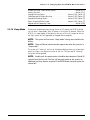
Bell Squawk During Auto Arm . . . . . . . . . . . . . . . . . . . . .
Bell Squawk on Exit Delay . . . . . . . . . . . . . . . . . . . . . . . .
Bell Squawk on Entry Delay . . . . . . . . . . . . . . . . . . . . . . .
Audible Exit Delay . . . . . . . . . . . . . . . . . . . . . . . . . . . . . .
Audible Exit Fault. . . . . . . . . . . . . . . . . . . . . . . . . . . . . . .
Exit Delay Termination . . . . . . . . . . . . . . . . . . . . . . . . . . .
2.2.8
Bell Options
Section [014], Option [2]
Section [014], Option [3]
Section [014], Option [4]
Section [014], Option [6]
Section [013], Option [6]
Section [014], Option [7]
When the system goes into alarm, the siren will sound. The siren will silence after
the number of minutes programmed for the Bell Cut-off time have passed.
The system supervises the remote sounder. If an open condition is detected, the
system will immediately indicate a trouble condition by beeping the keypad twice
every 10 seconds to alert users to the problem.
If the Temporal Three Fire Signal option is enabled, all Fire signals will follow the
Temporal Three Pattern as described in NFPA 72. If turned OFF all Fire signals will
sound a one second on, one second off cadence.
If Fire Bell Continuous is enabled, the alarm output will sound until a code is
entered. If disabled, the alarm will sound until a code is entered or the bell cut-off
time has expired.
26