1
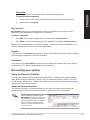
Restoring your system
ENGLISH
The Windows® System Restore feature creates a restore point where the computer’s system
settings are stored at certain time and date. It allows you to restore or undo changes to your
computer’s system settings without affecting your personal data.
To restore your system:
1.
Close all running applications.
2.
Click
3.
Follow the onscreen instructions to complete the process.
> All Programs > Accessories > System Tools > System Restore.
Protecting your computer
Using Windows® 7 Action Center
Windows® 7 Action Center provides you with alert notifications, security information, system
maintenance information, and the option to automatically troubleshoot and fix some common
computer problems.
You may customize the notifications. For more details, refer to the previous section
Customizing icons and notifications in this chapter.
Launching Windows® 7 Action Center
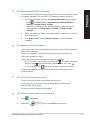
To launch Windows® 7 Action Center:
1.
To launch Windows 7 Action Center, click the Notification icon
Action Center.
2.
From Windows 7 Action Center, click the task that you want to do.
, then click Open
Using Windows® Update
Windows Update allows you to check and install the latest updates to enhance the security
and performance of your computer.
Launching Windows® Update
To launch Windows® Update:
1.
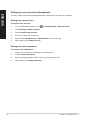
From the Windows® taskbar, click the Start icon
2.
Select All Programs > Windows Update.
3.
From the Windows Update screen, click the task that you want to do.
ASUS BM6630/MD510, BP6230/SD510, BM6330
to launch the Start menu.
2-7